
Pending bank entries
Pending entries show which transactions your bank expects. In 365 business Banking, you can include them in the payment reconciliation journal for information.
A pending entry is a notification from your bank that a transaction will take place, not that it has already taken place. The amount can still change, the value date can move, and the entry can be removed entirely. However, this information is useful, because there is often no other source for the incoming payments of the current day. 365 business Banking therefore shows such entries on request, but for information only.
Applies to: EBICS · camt file · Adyen
Where pending entries come from
| Connection | Pending entries |
|---|---|
| EBICS | With the option turned on, Business Central additionally retrieves the intraday transactions (camt.052), provided your EBICS contract includes the intraday report: Statements via EBICS. |
| camt file | Entries whose status in the file is not BOOK (booked), such as PDNG or INFO, typically in a camt.052 file. |
| Adyen | Transactions that Adyen reports with the status pending. |
| PSD2/XS2A via finAPI, other payment service providers | deliver booked transactions only |
Every entry that has a status other than "booked" counts as pending. An unknown status is treated as pending, because treating it as booked would carry the greater risk. An entry without a status counts as booked.
Turn it on
- Choose the Search icon, enter Banking Setup and open the page.
- On the Bank Account Reconciliation FastTab, turn on Import Pending Bank Entries.
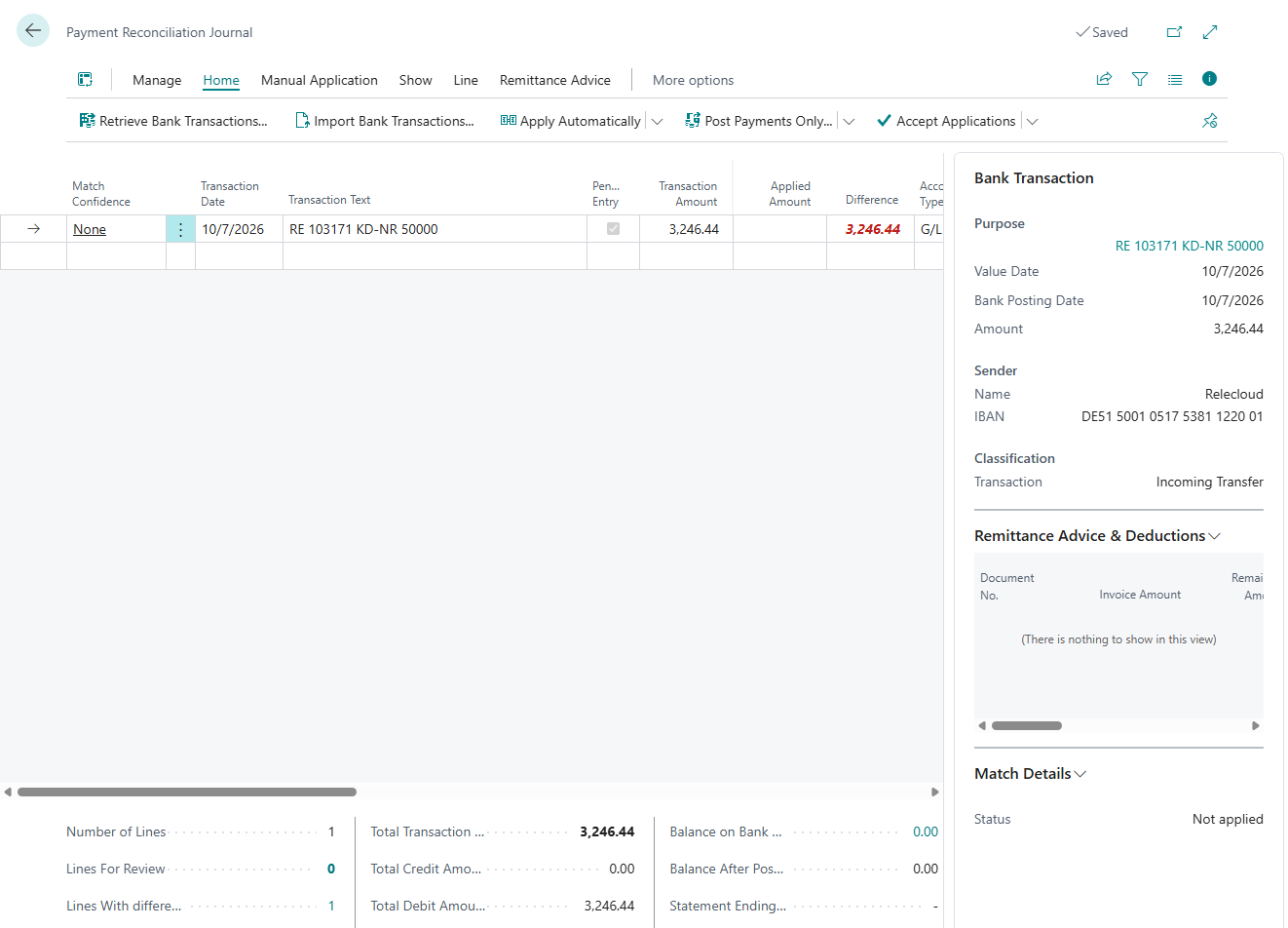
- In the payment reconciliation journal, show the Pending Entry column via Personalize. It is hidden by default.
The option is off when 365 business Banking is installed, so that provisional entries only appear in the reconciliation when this is explicitly requested. Details on the page: Banking Setup.
Capabilities and limits of pending lines
A line with Pending Entry = Yes is for information. It is deleted and rebuilt as soon as the bank books the transaction. An application on this line would be lost without warning, and a posting would put an amount into the ledger that the bank may never book. Therefore:
| Action | Behavior for pending lines |
|---|---|
| Apply Automatically and Apply Selected Automatically | skip them |
| Quick Apply | skips them |
| Apply Manually | allows an application, but posting is then refused (see below) |
| Check Application | shows the result Skipped with the reason that the line is pending |
| Post | refuses to post while a pending line has an application: "Line … is an entry your bank has not booked yet, so it cannot be applied or posted. It is replaced automatically as soon as your bank reports the booked entry." |
| Post with unapplied lines | Pending lines without an application are treated like any unapplied line. When you are asked about partial posting, they are transferred to a new journal: Post. |
Apply Manually does not hold pending lines back
Automatic application and Quick Apply skip pending lines. Manually, however, you can assign an application to a pending line. Only at posting is the line rejected with the message above. In that case, remove the application of the line and post again, or wait for the booked entry.
When the booked entry arrives
The same transaction is delivered again later, then booked, in the next statement and often with a different identifier. If both were taken over, every payment would appear in the reconciliation twice. 365 business Banking prevents this with two rules that apply before the duplicate check and before any line is created:
- The current-day snapshot replaces all pending entries. An intraday report is not a sequence of new entries but a snapshot of the day so far. If a retrieval contains pending entries, Business Central deletes all pending lines of the bank account in all open payment reconciliation journals and rebuilds them from the new snapshot. Entries that have been booked in the meantime are no longer included.
- The booked entry replaces its predecessor. If a retrieval delivers booked entries but no new snapshot of the day, for example because the bank does not provide an intraday report outside business hours, each booked entry removes the corresponding pending line. The pending line is identified by the end-to-end reference if it has one, otherwise by amount, value date and counterparty IBAN.
If a booked entry and the corresponding pending entry arrive in the same retrieval, the pending entry is not created. An empty response to the request for the current-day snapshot does not delete any lines. Otherwise, pending lines would disappear and reappear between two retrievals.
Turning it off again
If you turn Import Pending Bank Entries off, no new pending entries are taken over. Pending lines already in the journal are still replaced by their booked entries and therefore do not remain permanently.
Not to be confused with preliminary entries
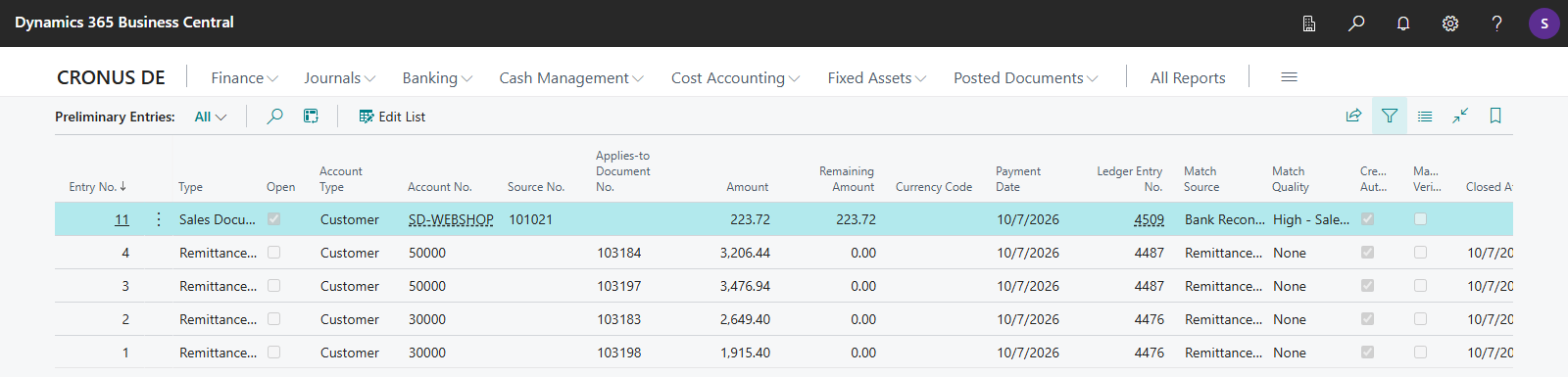
Pending bank entries are different from the preliminary entries of 365 business Banking. A preliminary entry reserves a received payment for an open sales document or a remittance advice until the invoice is posted, see Application with open sales documents. On the Preliminary Entries page, you can set Manually Verified to mark an entry as checked manually. 365 business Banking allocates at most the open amount of a sales document to it. This is the amount including VAT minus the amount already invoiced and minus the open preliminary entries of the same document.
See also
- Retrieve bank transactions
- Payment reconciliation journal
- Statements via EBICS
- Import a bank statement as a camt file