
Transit account for bank postings
With a transit account, 365 business Banking shows on the bank G/L account only the amounts that the bank has confirmed. Until then, initiated payments remain visible on the transit account.
The transit account enables a two-stage bank posting: an initiated payment is first posted against an interim account. Only once the bank has executed the transaction and the bank account ledger entry is closed through the payment reconciliation journal is the amount moved to the bank G/L account. As a result, the bank G/L account only shows amounts that have actually been paid, while initiated but not yet executed payments remain on the transit account.
Standard functionality in Business Central
In the standard, every bank posting posts its counter-entry immediately to the G/L account of the bank account posting group. Whether the payment has already been executed by the bank can only be seen on the bank account ledger entry (Open field), not in the G/L account. For more information from Microsoft, see Set up bank accounts.
What 365 business Banking adds
- The Transit Account No. field on the bank account posting group.
- The automatic transfer from the transit account to the bank G/L account as soon as the bank account ledger entry is closed.
- The Balance excl. Transit and Balance (LCY) excl. Transit fields on the bank account card and the Transit Account No., Transit Account Cleared and In Transit markers in the bank account ledger entries.
Setup
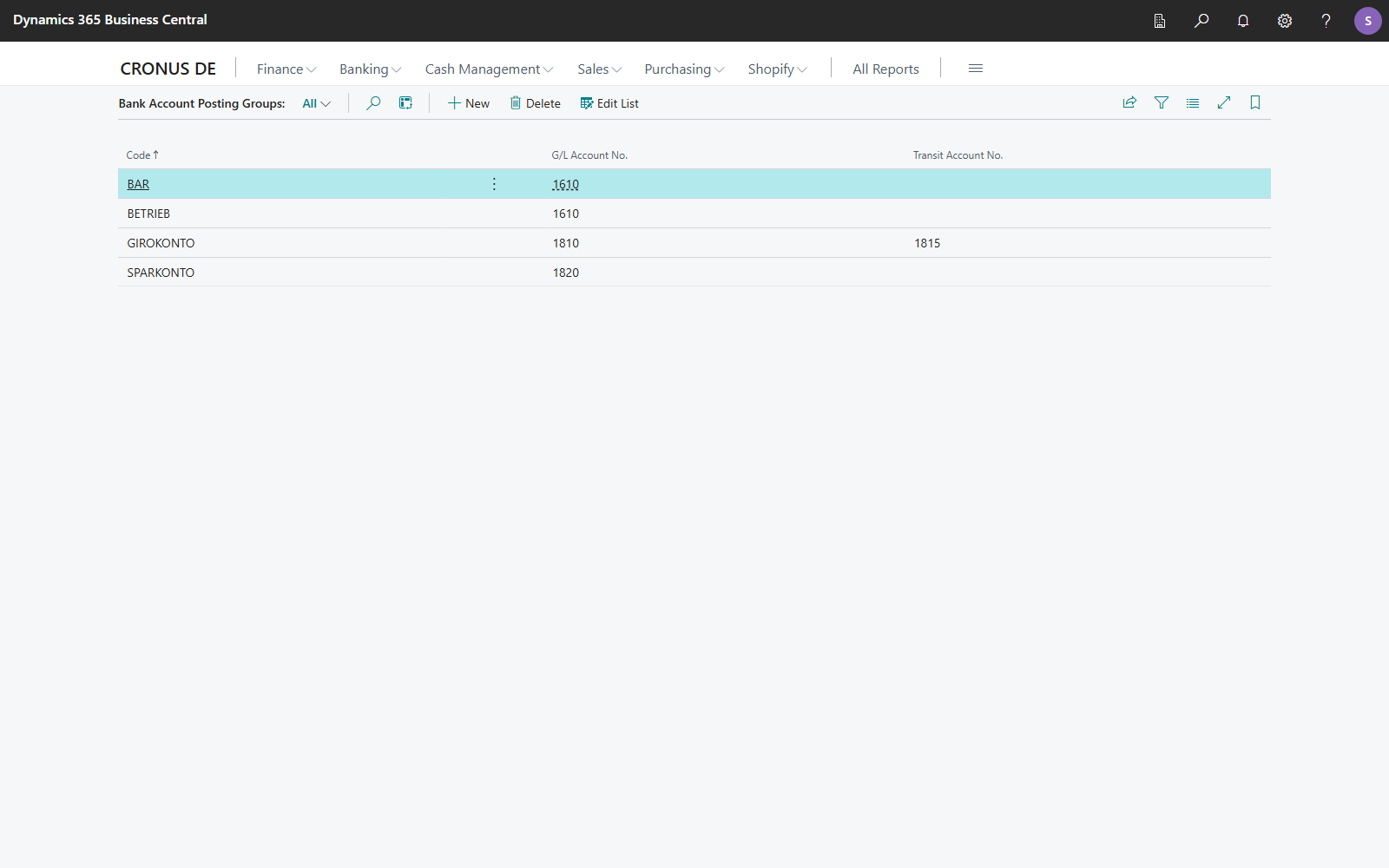
- Choose Bank Account Posting Groups in the Microsoft Dynamics 365 Business Central search.
- In the Transit Account No. field, enter the G/L account that bank entries of this posting group are to be posted to instead of the G/L account no.
Recommendation
Use a dedicated G/L account for transit postings. The balance of that account then always equals the total of initiated but not yet executed payments.
Posting logic
Stage 1: initiate the payment
When a payment is carried out and posted, only the G/L account of the counter-entry changes compared with the standard:
- The bank account ledger entry is created as usual and remains open.
- The counter-entry goes to the transit account instead of the bank G/L account.
- The bank account ledger entry records in the Transit Account No. field which account was used, and is marked In Transit.
Stage 2: application through the payment reconciliation
As soon as the bank transaction has been retrieved and the bank account ledger entry is closed through the payment reconciliation journal, 365 business Banking automatically moves the amount from the transit account to the bank G/L account of the posting group. The bank account ledger entry is marked in the Transit Account Cleared field and is no longer In Transit. The transfer carries the source code of the reconciliation. The Transit Clearing Transaction No. field on the bank account ledger entry refers to it.
Automatic transfer
The transfer happens automatically when the bank account ledger entry is closed. No manual intervention is required. Each bank account ledger entry is transferred only once.
Exception: posting and reconciling in one run
If the payment reconciliation journal posts the payment and reconciles the bank statement in the same run, the bank account ledger entry is never open. In that case the counter-entry is posted directly to the bank G/L account and the transit account is not used, because there is no open entry to clear. Only with Post Payments Only does the bank account ledger entry remain open and is posted through the transit account.
Balance excl. transit
On the Bank Account Card, Balance excl. Transit and Balance (LCY) excl. Transit show the balance of the bank account without the amounts still on the transit account, that is, without the payments that have been posted but not yet confirmed by the bank on a statement. The standard Balance includes them.
- For a bank account in local currency, Balance excl. Transit equals the balance of the bank G/L account.
- For a foreign currency account, Balance excl. Transit is the balance in the account's currency; Balance (LCY) excl. Transit adds up the entries in local currency.
- Both fields observe the same dimension filters as the standard balance.
- The fields only appear for bank accounts whose bank account posting group has a transit account or that have already posted through one. For other bank accounts, they would be identical to the balance.
Check in the bank account ledger entries
Three fields are available in the Bank Account Ledger Entries, hidden by default and available through personalization:
| Field | Meaning |
|---|---|
| Transit Account No. | Transit account this bank account ledger entry was posted to instead of the bank G/L account |
| Transit Account Cleared | The amount has already been moved from the transit account to the bank G/L account. |
| In Transit | The amount is still on the transit account. Balance excl. Transit excludes these entries. |
Filter on In Transit = Yes to see all payments that are still in transit.
The update to version 18.4 marks bank account ledger entries as In Transit that were posted through a transit account before the update and have not yet been moved from the transit account. Balance excl. Transit therefore also covers these entries.
Note
Transit postings are mainly useful at the level of G/L entries, because the standard knows no entry status (open/closed) for G/L entries. In bank account ledger entries, on the other hand, you recognize not yet executed transactions by the Open field.
Reversal
If you reverse a posted payment reconciliation that closed a transit entry, 365 business Banking also reverses the transfer from the transit account, even though the reversal wizard does not identify this transfer itself. The bank account ledger entry is then In Transit again. See Reverse a posted payment reconciliation.
See also
- Outgoing payments
- Incoming payments and bank reconciliation
- Balance and balance chart
- Bank account ledger entries
- Transit accounts for payments (new feature)