
Customer-vendor netting and netting statement
When a business partner is both customer and vendor, 365 business Banking nets receivables and payables in the payment suggestion and documents this with a statement.
If you buy from a company that also buys from you, payables and receivables offset each other. Instead of transferring the full invoice amount and waiting for the business partner's payment, you net the amounts and pay only the remaining amount. The extended payment suggestion carries out the netting in the same run and creates a Netting Statement, which you send to the business partner as a declaration of set-off.
Prerequisites
- Customer and vendor belong to the same contact, linked through the contact business relation. The setup is described on Microsoft Learn.
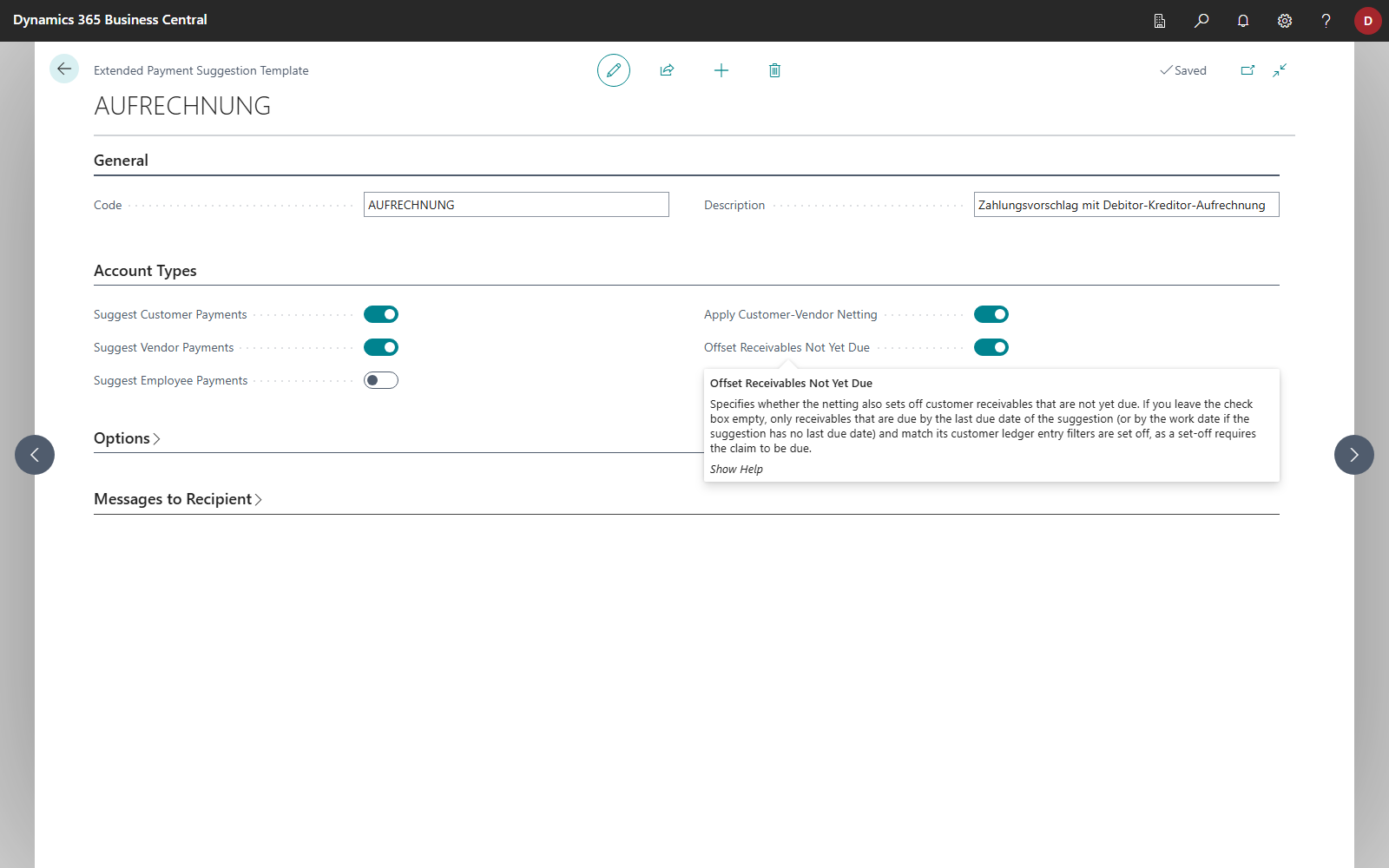
- Apply Customer-Vendor Netting is turned on in the extended payment suggestion template. This also turns on Suggest Customer Payments and Suggest Vendor Payments.
- Optional: Offset Receivables Not Yet Due in the same template, if receivables that are not due yet are also to be netted (see below). The option is off in a new template.
Standard functionality in Business Central
The standard product offers the Net Customer/Vendor Balances action in the payment journal. It creates lines with the net balances of a contact that exists as both customer and vendor. It does not create a statement for the business partner. See Microsoft Learn: Consolidate balances.
What 365 business Banking adds
- Netting is carried out in the payment suggestion, together with all other payments.
- The netted entries are applied individually, and the remaining amount is transferred and explained in the payment reference.
- Each run creates a Netting Statement, which you print or send by email.
How netting works
For each suggested vendor, the suggestion determines the customer through the contact. Then the following applies:
- Payables are the vendor ledger entries this run suggests for payment.
- Receivables are the open customer ledger entries with a positive remaining amount that are due by the Last Due Date of the suggestion. If no last due date is specified, the work date applies. They must also meet the customer ledger entry filters of the request page and of the template. With Offset Receivables Not Yet Due turned on, all open receivables from the customer are included instead, including those not due yet; the due date and the customer ledger entry filters then do not apply.
- The smaller of the two amounts is netted.
- For each pair, two netting lines with the description "Netting …" are created, one for the vendor and one for the customer, each without a balancing account. They apply the netted entries and are never sent to the bank.
- If a remaining amount of an invoice is left, it is paid on a separate line. The payment reference gets the addition "/ less set-off …" with the netted amount, so that the recipient can understand the lower payment amount.
The following are excluded:
- entries in foreign currency, because netting is carried out in local currency only,
- members of a payment group, because their entries are paid through the central account,
- entries with an On Hold code or an Applies-to ID already set,
- vendors with credit memos in the run, because the credit memo already reduces the payable. Additional netting would settle more than is owed.
Net receivables that are not due only deliberately
Legally, a set-off usually requires your receivable to be due (in Germany § 387 BGB). For this reason, without the option Offset Receivables Not Yet Due, the suggestion nets only receivables that are due. Turn the option on only if you have agreed otherwise with the business partner, and check the netting statement before you send it.
Example
Vendor Fabrikam is also a customer through the same contact.
| Amount | |
|---|---|
| Suggested invoice from Fabrikam | 1,000.00 EUR |
| Open receivable from Fabrikam (due by the last due date) | 150.00 EUR |
| Netted | 150.00 EUR |
| Transferred | 850.00 EUR, payment reference for example Invoice INV-0815 / less set-off 150.00 EUR |
The journal then contains two netting lines of 150.00 EUR and one payment line of 850.00 EUR. If the receivable fell due only after the last due date, it would be netted only with Offset Receivables Not Yet Due; otherwise the full 1,000.00 EUR would be transferred.
Netting statement
Each run creates one netting statement. Its number comes from the Netting Statement Nos. number series in Banking Setup. If no number series is set there, 365 business Banking builds the number as NET-YYYYMMDD-n, for example NET-20260305-1. The statement lists each pair with receivables and payables individually: document type, document no., posting date, amount, netted portion and remaining amount, plus the result, that is, which partner still pays which.
After the run, Business Central asks "A netting statement (…) has been created. Do you want to open it?". Later you find it
- in the payment journal on every netting line and on the payment of the remaining amount: Netting Statement > Print Netting Statement or Send Netting Statement,
- on the Netting Statements page (search) with No., Statement Date, Description, Journal Batch Name, Created DateTime, Posted and Posted DateTime and the actions Print and Send by Email.
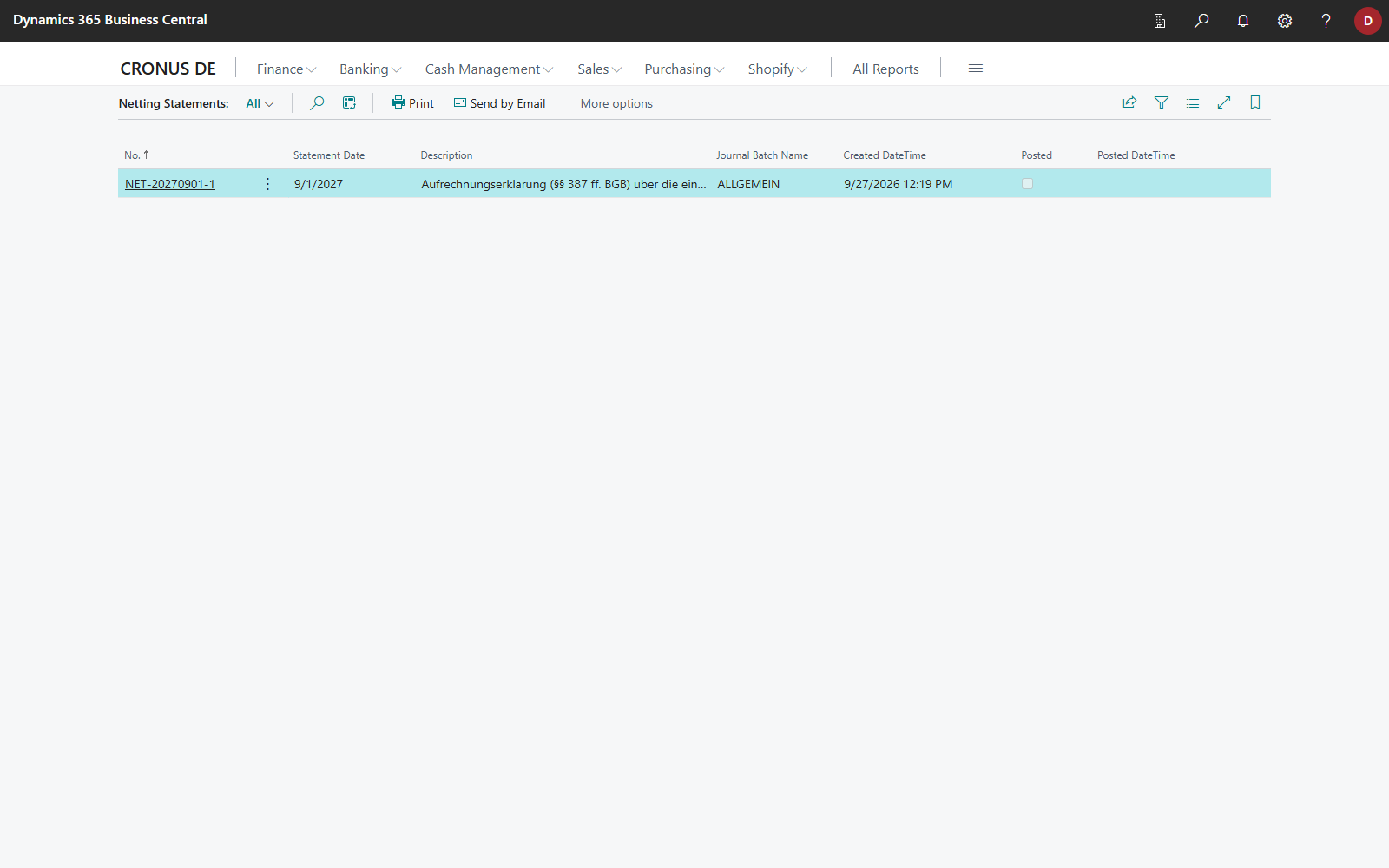
Print outputs the Netting Statement report directly, without a request page.
Lifecycle: As long as the netting is not posted, the statement belongs to its netting lines. If you delete the lines, the statement is also deleted. After posting, it is the declaration of set-off and is kept (Posted), even when the journal lines no longer exist.
Send by email
Send Netting Statement opens the email editor with the statement as a PDF, with a separate email per customer-vendor pair. Each email contains only the netting of that pair and is addressed to the email addresses of its customer and vendor. In the journal, the action sends the statement for the pair of the selected line; on the Netting Statements page, Send by Email opens one email after the other for every pair. The text comes from the Netting Statement Email Word layout of the Netting Statement report; your own Word layout for this report takes precedence. It is sent through the email account assigned to the Netting Statement email scenario. See Report selection and email for banking documents.
One statement, several business partners
If a run nets with several business partners, all pairs are in the same statement. By email, each business partner nevertheless receives only their own netting and not the claims of other business partners. Print or Print Netting Statement, on the other hand, outputs the whole statement with all pairs. Check a printout before you pass it on.
Notes
- The Posting Date column in the statement shows the entry's posting date.
- The legal text of the declaration of set-off (sections 387 ff. of the German Civil Code) is translated and appears in the language the report is run in.
- Netting lines have no payment status and no bank account. Carry Out Payment skips them, and posting does not count them as payments that still have to be Completed: the journal can be posted as soon as the other lines are carried out, and the netting lines are posted with it. See Carry out payment.