
Verification of Payee (VoP)
The Verification of Payee (VoP) in 365 business Banking checks for every bank connection, before payment, whether a payee's name and IBAN match.
Since October 2025, EU law makes the Verification of Payee (VoP) part of every SEPA credit transfer. The bank compares the payee's name with the name that the payee's bank has stored for the IBAN. This protects against fraud and input errors. 365 business Banking uses the same check before the payment, directly on your master data in Microsoft Dynamics 365 Business Central and in the payment journal.
Two checks, two points in time
| When | Who checks | Where you see the result | |
|---|---|---|---|
| Check in Business Central | at any time: on the bank account, in the journal, in the SEPA payment import | 365 business Banking via finAPI | status on the bank account, column in the journal, log entries |
| Check by the bank | when the transfer is carried out | your bank | per connection in the web form (PSD2/XS2A), in the banking program (EBICS with opt-in) or in online banking (file) |
With PSD2/XS2A, your bank's web form shows a mismatch directly in the payment overview.
The check always runs via finAPI
The check in Business Central runs via finAPI for every bank connection and uses the Company Bank Access to sign in. This also applies if you only manage your accounts via EBICS or by file. Without this bank access, no check takes place. The Verification of Payee field on the Banking Setup page defines which service checks. The setting applies to the entire company. See Banking Setup.
Applies to: PSD2/XS2A via finAPI, EBICS, camt/pain file
Licensing
The Verification of Payee (VoP) is a paid feature. Every check is counted (Banking Metrics). For licensing and pricing questions, contact your Microsoft partner or 365 business development support.
Check payees
| Where | Action | What is checked |
|---|---|---|
| Vendor Bank Account Card or Customer Bank Account Card | Verification of Payee (VoP) | this bank account |
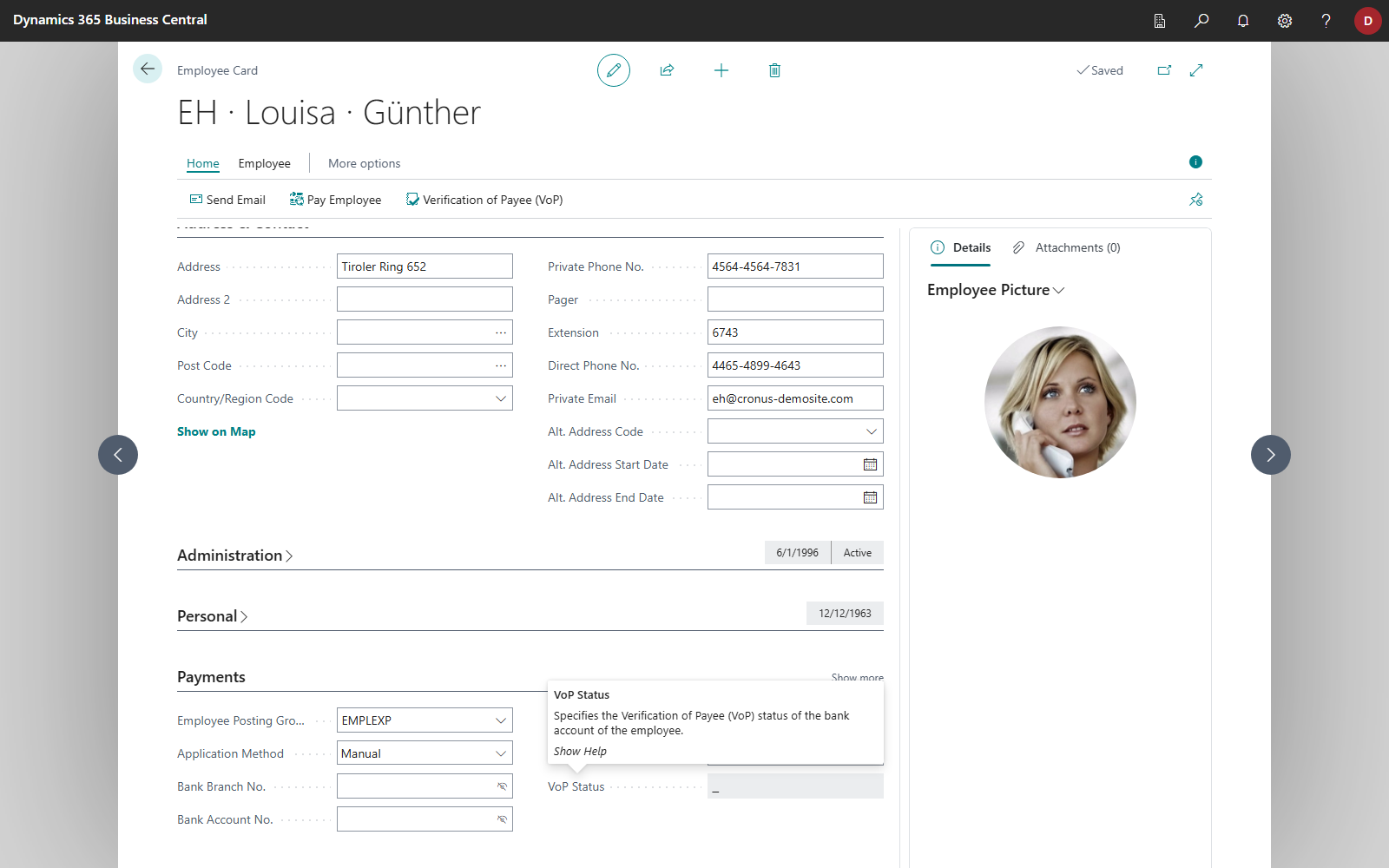
| Employee Card | Verification of Payee (VoP) | the employee's bank details: IBAN, SWIFT Code and the full name |
| Payment Journal | Verification of Payee (VoP) | the bank accounts of the selected lines, for employees the bank details on the employee card; lines to G/L accounts and bank accounts are skipped, lines with the status 🟢 or ◯ are not checked again |
| Cash Receipt Journal | Verification of Payee (VoP) | the payers' bank accounts (see SEPA direct debit in the cash receipt journal) |
| SEPA Payment Import | Verification of Payee (VoP) | the recipients of the imported file (see Approval and verification of payee) |
- Open the bank account card, or select the lines in the journal.
- Choose Verification of Payee (VoP) and confirm the question.
- Business Central checks Account Holder, IBAN and SWIFT Code and stores the result on the bank account. In the journal, Business Central then asks whether you want to view the results and opens the log entries.
On the Employee Card, the status is shown in the VoP Status field. If you change the IBAN, the SWIFT Code or the name there, the check is reset.
Only IBANs within the SEPA area can be checked. For other IBANs, the bank account receives the status ◯, and Business Central stores the message "The provided IBAN is outside the SEPA region and cannot be verified using the Verification of Payee (VoP) service." in the Error field of the log entry. The Verification of Payee (VoP) Log Entries page shows the message in the Error column.
Business Central sends the checks to finAPI in groups of up to ten bank accounts. If finAPI rejects a group, for example because of an IBAN outside the SEPA area, every bank account in that group receives the status ◯, and the log entry contains the message in the Error field. The remaining groups are still checked. A result is only recorded if the bank account still has the IBAN that was checked. If you have changed the IBAN in the meantime, the status remains reset.
Verification statuses
The status is shown on the bank account in the VoP Status field, in the caption of the Account Holder field, and in the payment journal in the Verification of Payee (VoP) Status column. If you select the status on the bank account card, the explanation is shown.
| Status | In the log | Description |
|---|---|---|
| blank | no entry | The details are incomplete (for example without IBAN or account holder), or it is not a SEPA bank account. |
| ⚪ | Not checked | The Verification of Payee (VoP) check has not been performed for this bank account yet. The account holder name has not been verified against the bank's records. |
| ◯ | Check not applicable | The Verification of Payee (VoP) check is not available for this bank account. This may be due to technical limitations, unsupported countries, banks, or account types. |
| 🔴 | Name does not match | The provided account holder name does not match the name returned by the bank. This may indicate an incorrect or potentially risky payment. |
| 🟡 | Name differs slightly | The provided account holder name differs slightly from the name returned by the bank. Please review the details before proceeding. |
| 🟢 | Recipient confirmed | The provided account holder name matches the name returned by the bank. |
If you change Account Holder, IBAN or SWIFT Code, the status is reset to ⚪, because the result applied to the previous details.
Failed check
With 🔴, the account holder you entered does not match the name that the bank reports. Check the details and correct them. If in doubt, clarify the details directly with the payee through a contact channel you know.
Caution
SEPA credit transfers to payees with a failed Verification of Payee are not blocked. If a bank account in the lines has a status other than 🟢 or ◯, including 🟡, Carry Out Payment lists the affected recipients with the name reported by the bank and the status, and asks whether you still want to proceed with the payment. The decision is yours. Without a user who can answer the question, for example in a background session, Carry Out Payment stops in this case. Lines to G/L accounts and your own bank accounts count as ◯ (not applicable) and do not trigger the question. For lines to employees, the status from the employee card applies.
The same applies to Carry Out Direct Debit in the cash receipt journal: if the bank account of a payer has a status other than 🟢 or ◯, including 🟡, Business Central asks before the collection whether you still want to proceed with the direct debit. Without a user, for example in the job queue, Carry Out Direct Debit stops in this case.
Close match
With 🟡, the account holder differs only slightly. If you check a single bank account on the customer or vendor bank account card, Business Central offers to take over the name reported by the bank: "The Verification of Payee (VoP) check identified a close match for the bank account … - …. Do you want to accept the matched name '…' as the account holder name?" If several bank accounts were checked in one step or in the journal, take over the names individually through the log entries (see below).
Verification of Payee (VoP) log entries
Every check is logged. You open the Verification of Payee (VoP) Log Entries page through search or after a check in the journal.

| Field | Meaning |
|---|---|
| Account Holder, IBAN, SWIFT Code | the checked details |
| VoP Status | the result |
| Matched Name | the name that the payee's bank reported back |
| Error | the reason if the check was not possible, for example an IBAN outside the SEPA area |
| Created by, Created at | user and time of the check |
With Apply, you take over the Matched Name of a log entry as Account Holder on the checked customer or vendor bank account. Business Central asks "Do you want to apply the matched name … to bank account?" and then offers to open the bank account card.
Verification of Payee at the bank via EBICS
Applies to: EBICS
Your bank also checks when the payment is carried out. Via EBICS, it offers the SEPA credit transfer with an option for this. You define which option is used on the EBICS participant in the Payee Verification (VOP) field:
| Value | Meaning |
|---|---|
| Opt-out (VOO) | The bank checks but does not report the result back. This is the default, because Business Central submits bulk files and cannot show a result for confirmation. |
| Opt-in (VOI) | The bank reports the result and waits until it is confirmed in your banking program. Only then does it carry out the payment. |
| Not used | For banks whose credit transfers have no such option. |
With Opt-in (VOI), a payment is therefore only carried out once the result has been confirmed in the banking program. The check in Business Central complements this option and does not replace it.
Several names
Depending on the page, the user interface calls the feature Verification of Payee (VoP), Verification of Payee (Banking Setup) or Payee Verification (VOP) (EBICS participant). The field on the EBICS participant controls the check that your bank performs when it carries out the payment. The other two refer to the check in Business Central.
Manage different account holders
In 365 business Banking, you can manage different account holders. This is required, for example, if you regularly pay a payee whose account is held at the bank under a different name than in your master data, such as the full company name instead of the trading name.
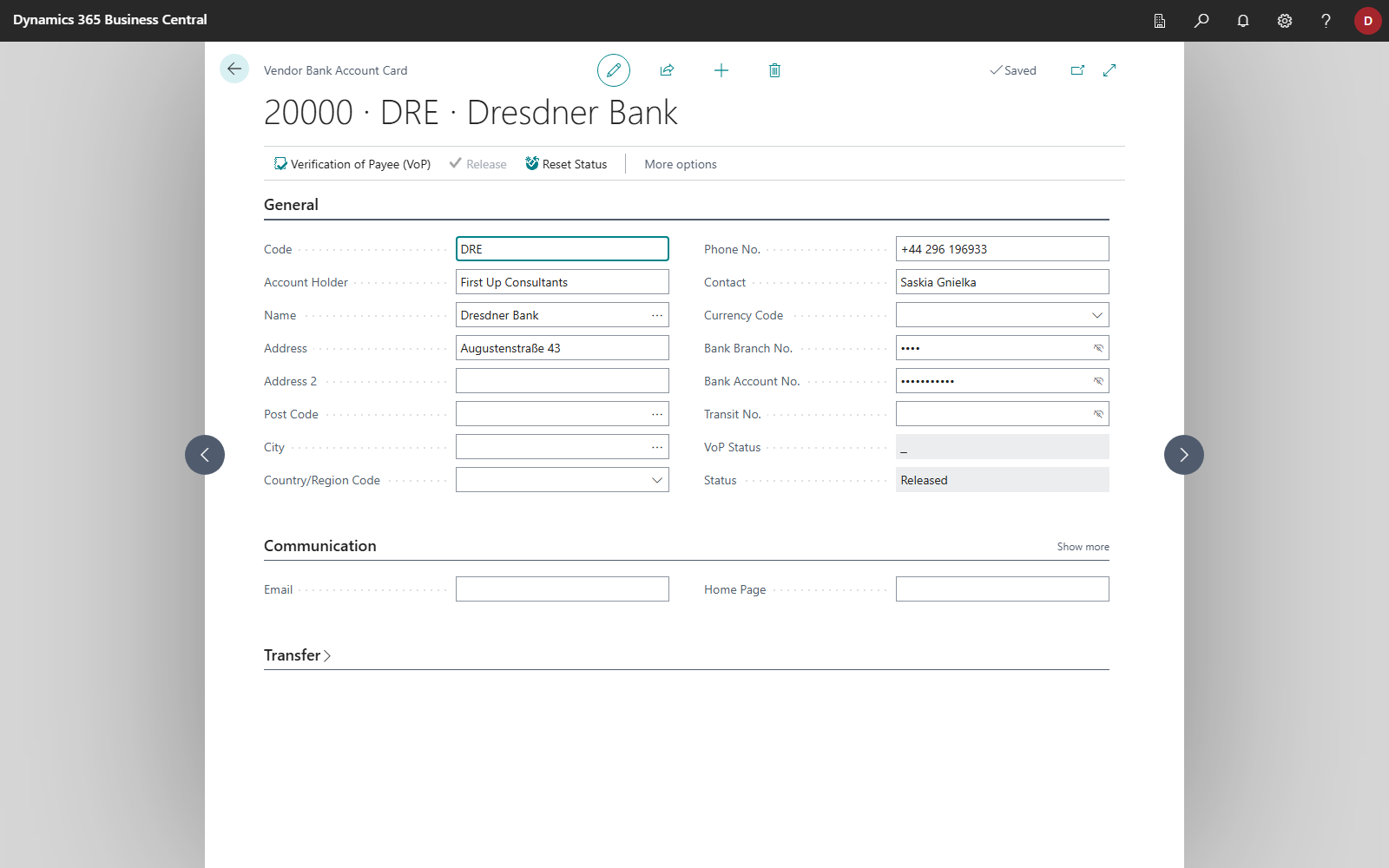
In this case, enter the name under which the account is held in the Account Holder field of the customer or vendor bank account. 365 business Banking uses this name as the recipient name for SEPA credit transfers and checks it in the Verification of Payee. More information about the account holder and the release status: Bank accounts of customers, vendors and employees.
Step by step
Using a vendor bank account as an example:
- Choose the Search icon, enter Vendors, and open the vendor card.
- Choose Vendor > Bank Accounts.
- Open the vendor's bank account.
- In the Account Holder field, enter the name under which the account is held at the bank.
- Choose Verification of Payee (VoP) to check the new name.
Note
The Verification of Payee protects against fraud. Only change the account holder if you are sure that the different name is correct. Do not change it only to remove a warning.
Troubleshooting
| Message or observation | Cause and remedy |
|---|---|
| The Verification of Payee (VoP) action is not available | The Verification of Payee license is missing, or the journal does not belong to a connected bank account. |
| "No recipient was checked, because no Verification of Payee (VoP) service is selected in the Banking Setup. …" | The Verification of Payee field in the Banking Setup is empty. Select a service there and check again. The message appears when you check bank accounts, employees, journal lines and SEPA payment imports. |
| "There are no bank accounts to check in the selected journal lines." | The selected lines have no recipient bank account, or every bank account of the selected lines already has the status 🟢 or ◯. |
| "One or more journal lines were skipped because the account type is currently not supported for Verification of Payee (VoP) checks." | Lines to G/L accounts or bank accounts are not checked, nor are employees without an IBAN or name on the employee card. |
| "The Verification of Payee (VoP) check did not return any results for the selected journal lines. …" | Check the bank accounts individually on the bank account card. Make sure that the Company Bank Access is connected. See Banking Setup. |
| Status stays ◯ | The payee's bank does not take part in the Verification of Payee, the IBAN is outside the SEPA area, or finAPI rejected the check. The Error column of the log entries shows the reason. |
See also
- Bank accounts of customers, vendors and employees
- Carry out payment: process per bank connection
- Banking Setup
- Verification of Payee (new feature)