
SEPA Purpose Codes
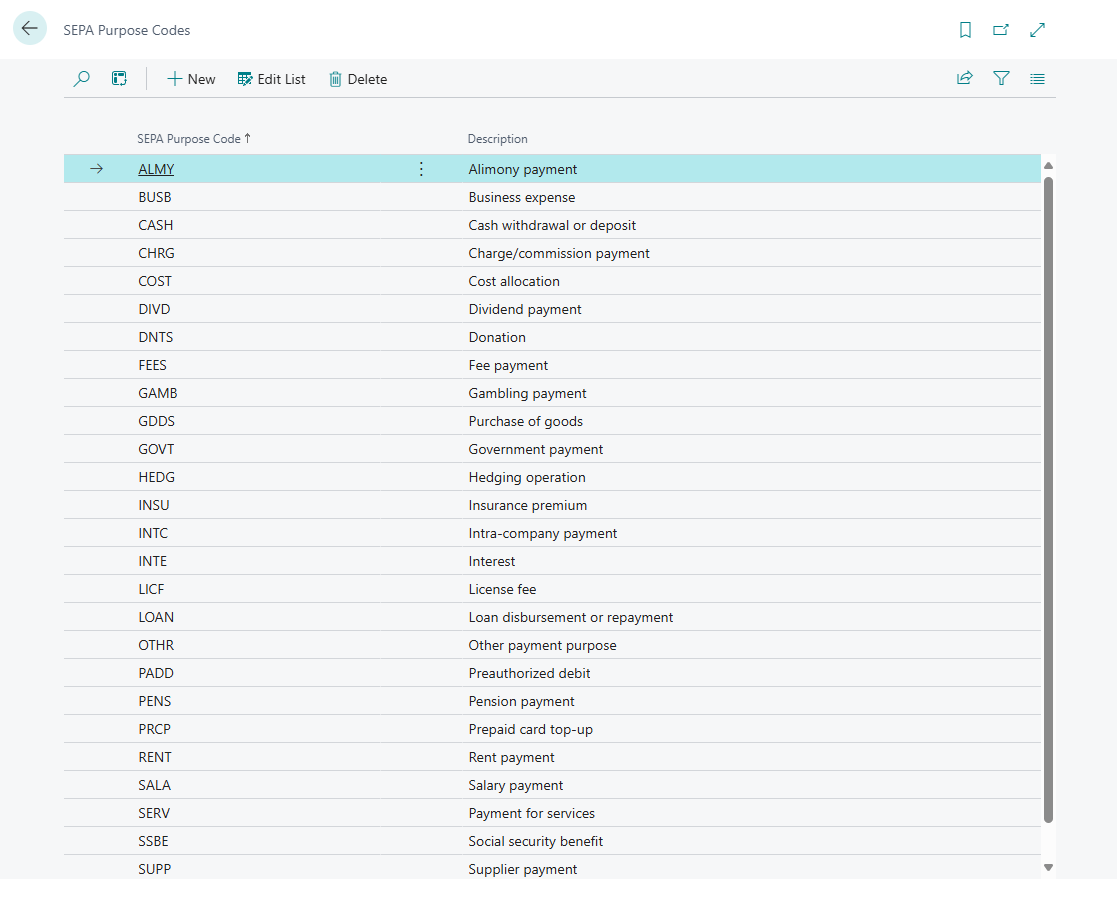
This page describes the SEPA Purpose Codes list in 365 business Banking: the available codes, how Banking uses them and how to add your own codes.
The SEPA purpose code is a four-character code under ISO 20022 that states the purpose of a payment, such as SALA for salary or SUPP for a supplier payment. The bank sends it with the transaction; outgoing payments carry it when it comes from a standing order or a SEPA payment import.
What 365 business Banking adds
- The SEPA Purpose Codes list with SEPA Purpose Code and Description. On installation, 365 business Banking sets up the common codes, including CASH, SALA, PENS, TAXS, SUPP, INTC, FEES and RENT.
- Reconciliation rules can check the SEPA purpose code of a transaction: Reconciliation rules.
- Standing orders have a SEPA Purpose Code field. Business Central suggests a code per account type: CASH for customers, SUPP for vendors, INTC for bank accounts, SALA for employees and OTHR for all other account types: Standing orders.
- A SEPA payment import takes the code from the pain.001 file it reads and writes it back into the payment when carrying it out (
Purp/Cd): SEPA payment import. - The Bank Transaction Details show the code the bank sent: Payment reconciliation journal.
Step by step
- Choose the Search icon, enter SEPA Purpose Codes and open the list.
- Choose New to add a code, or change the Description of an existing one.
Examples
| SEPA Purpose Code | Purpose |
|---|---|
| SALA | Salary payment |
| PENS | Pension payment |
| SUPP | Supplier payment |
| TAXS | Tax payment |
| INTC | Intra-company payment |
| FEES | Fee payment |
| CHRG | Charge/commission payment |
ISO 20022 publishes the full list of codes as External Code Sets.
Notes
Rules require a code from the bank
A reconciliation rule with a SEPA purpose code only applies to transactions for which the bank sends that code. Many transactions do not contain a SEPA purpose code. Check the Bank Transaction Details to see whether your bank transmits the code.