
Setup
ZKA Codes (Transaction Codes)
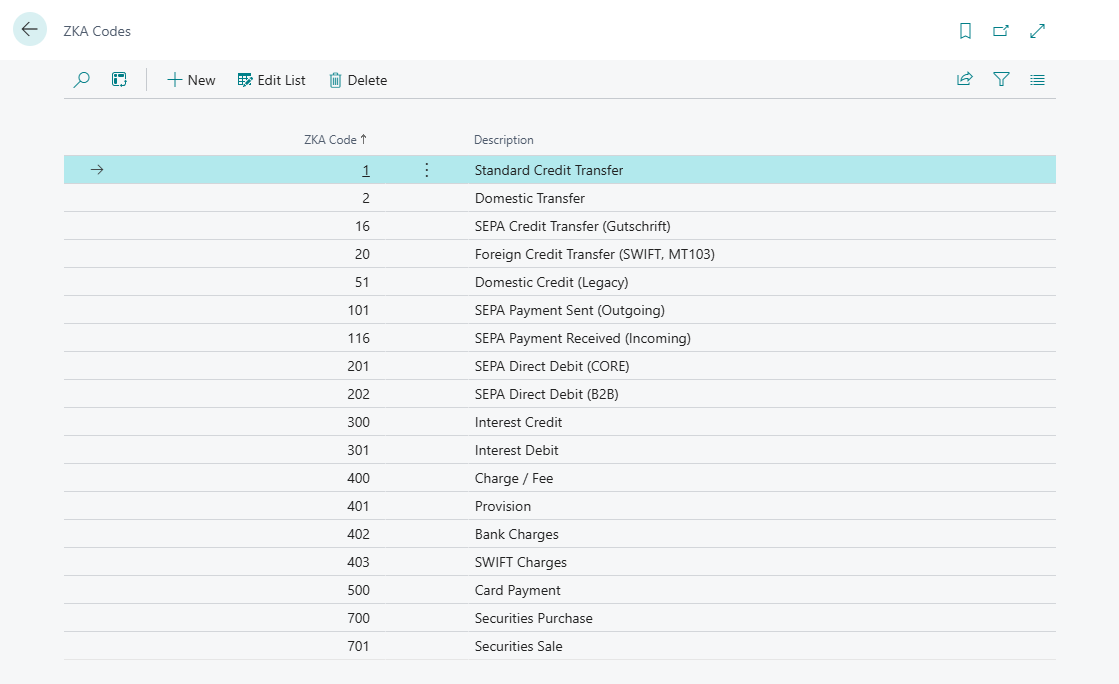
This page describes the ZKA Codes list in 365 business Banking: the available German transaction codes, how Banking uses them and how to add your own codes.
The ZKA code (Geschäftsvorfallcode, GV code) is a three-digit identifier of the German Banking Industry Committee (formerly ZKA) that describes the type of a transaction, such as 166 for an incoming SEPA credit transfer or 808 for charges. German banks send it with the bank statement.
What 365 business Banking adds
- The ZKA Codes list with ZKA Code and Description. On installation, 365 business Banking sets up the codes common for business accounts, among them codes for SEPA payments, cards, cross-border payments, loans, interest, charges and account settlement.
- Reconciliation rules can check the ZKA code of a transaction: Reconciliation rules.
- The Bank Transaction Details show the code the bank sent: Payment reconciliation journal.
- The classification of a transaction (for example as a returned direct debit for 108, 109 or 193) evaluates the ZKA code regardless of what the list contains: Returned direct debits.
Step by step
- Choose the Search icon, enter ZKA Codes and open the list.
- Choose New to add a code, or change the Description of an existing one.
Examples
| ZKA Code | Transaction type |
|---|---|
| 105 | SEPA Direct Debit, Single Debit Entry (CORE) |
| 109 | SEPA Direct Debit Return (CORE) |
| 116 | SEPA Credit Transfer, Single Debit Entry |
| 153 | SEPA Credit Transfer, Salary or Pension |
| 159 | SEPA Credit Transfer Return |
| 166 | SEPA Credit Transfer, Single Credit Entry |
| 171 | SEPA Direct Debit Collection, Single Credit Entry (CORE) |
| 805 | Account Settlement |
| 808 | Charges |
Notes
Rules require a code from the bank
A reconciliation rule with a ZKA code only applies to transactions for which the bank sends that code. Banks outside Germany usually do not send a ZKA code. Check the Bank Transaction Details to see whether the code is transmitted.
See also
Last modified on