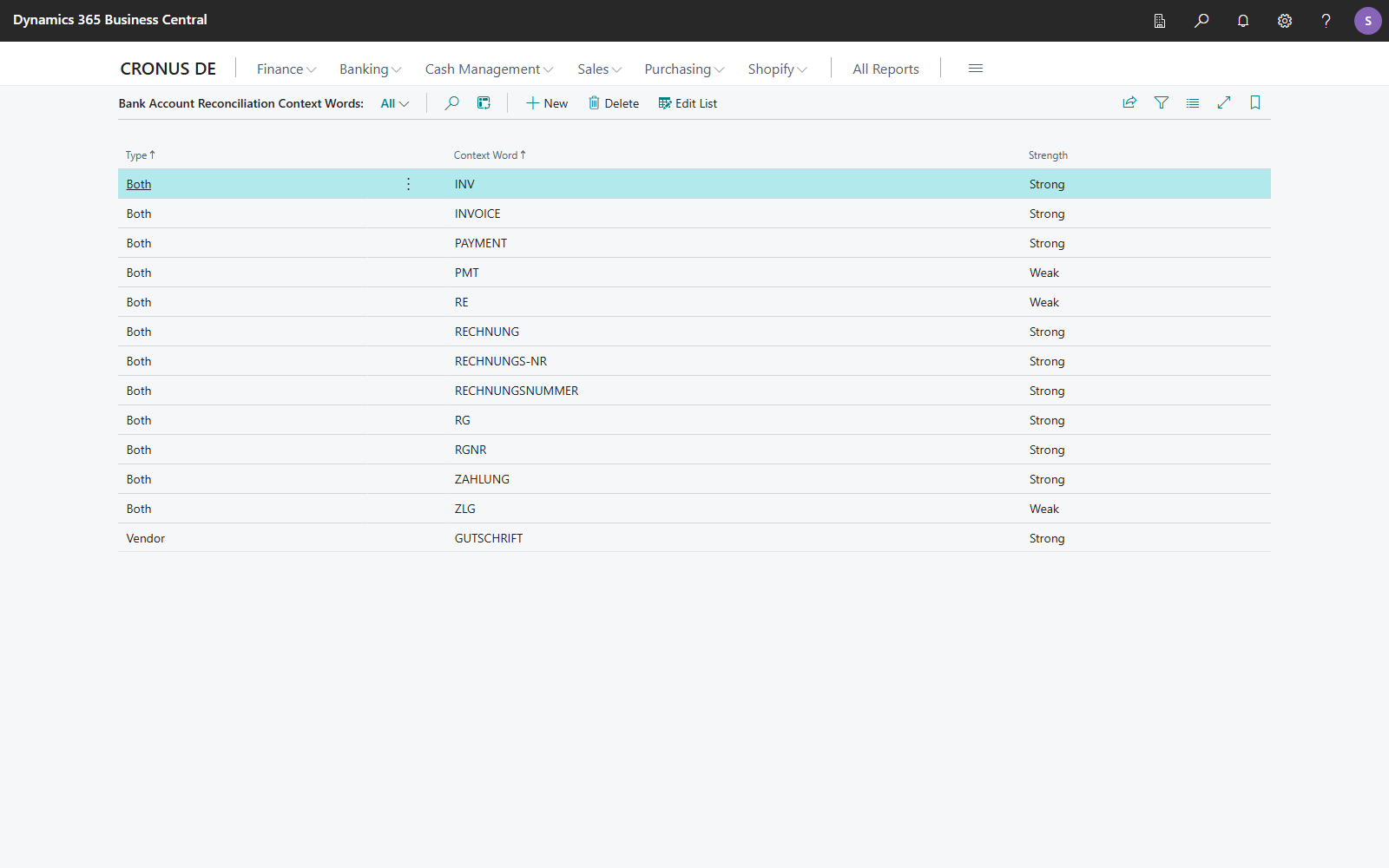
Bank Account Reconciliation Context Words
With context words like "Invoice" or "RE", 365 business Banking recognizes shortened document numbers in the payment reference more reliably. Each context word is weighted weak or strong.
Payers often shorten document numbers, for example Re 4711 instead of A4711 or Payment 103045 instead of VR103045. A short number alone can match by coincidence. A preceding context word identifies the number as a document number. 365 business Banking uses it when searching for partial numbers: Document no. matching.
Fields
| Field | Values | Meaning |
|---|---|---|
| Type | Both, Customer, Vendor | for which entries the word counts: Customer only for customer ledger entries, Vendor only for vendor ledger entries, Both for both. For G/L entries, only words with Both count. |
| Context Word | text | the word, such as INVOICE. The search is not case-sensitive. |
| Strength | Weak, Strong | weighting of the word (see below) |
What the strength does
When searching for partial numbers, 365 business Banking shortens the document number from the front and checks the remaining end part:
| End part | Without context word | Weak context word | Strong context word |
|---|---|---|---|
| at least 5 characters | strong hit | strong hit | exact hit |
| 3 or 4 characters, at least 70 % of the document number | no hit | weak hit | strong hit |
A weak hit only counts if the payer was recognized as well. If several context words are in the payment reference, the strongest counts. For the detailed rules and examples, see Document no. matching.
How a context word is recognized
- The word must appear as a word of its own in the payment reference.
REcounts inRe 4711, but not inEREF;RGdoes not count inVerguetung. This prevents almost every SEPA payment reference from triggering a context word. - A digit may follow directly:
RE4711counts asRE+ number. - Upper and lower case are not distinguished.
Strong only for unambiguous words
Choose Strong only for words that almost always announce a document number, such as INVOICE or RECHNUNG. For short or ambiguous words like RE or ZLG, use Weak.
What installation sets up
365 business Banking creates these context words with the type Both. You can change, delete or add to them.
| Context word | Strength |
|---|---|
INV, INVOICE, PAYMENT, RECHNUNG, RECHNUNGS-NR, RECHNUNGSNUMMER, RG, RGNR, ZAHLUNG | Strong |
PMT, RE, ZLG | Weak |
On a new installation, missing default words are added. Words you have changed remain unchanged.
Step by step
- Choose the Search icon, enter Bank Account Reconciliation Context Words and open the page.
- Choose New.
- Choose the Type.
- Enter the Context Word.
- Choose the Strength.
The word applies from the next application run.