
Own Bank Accounts
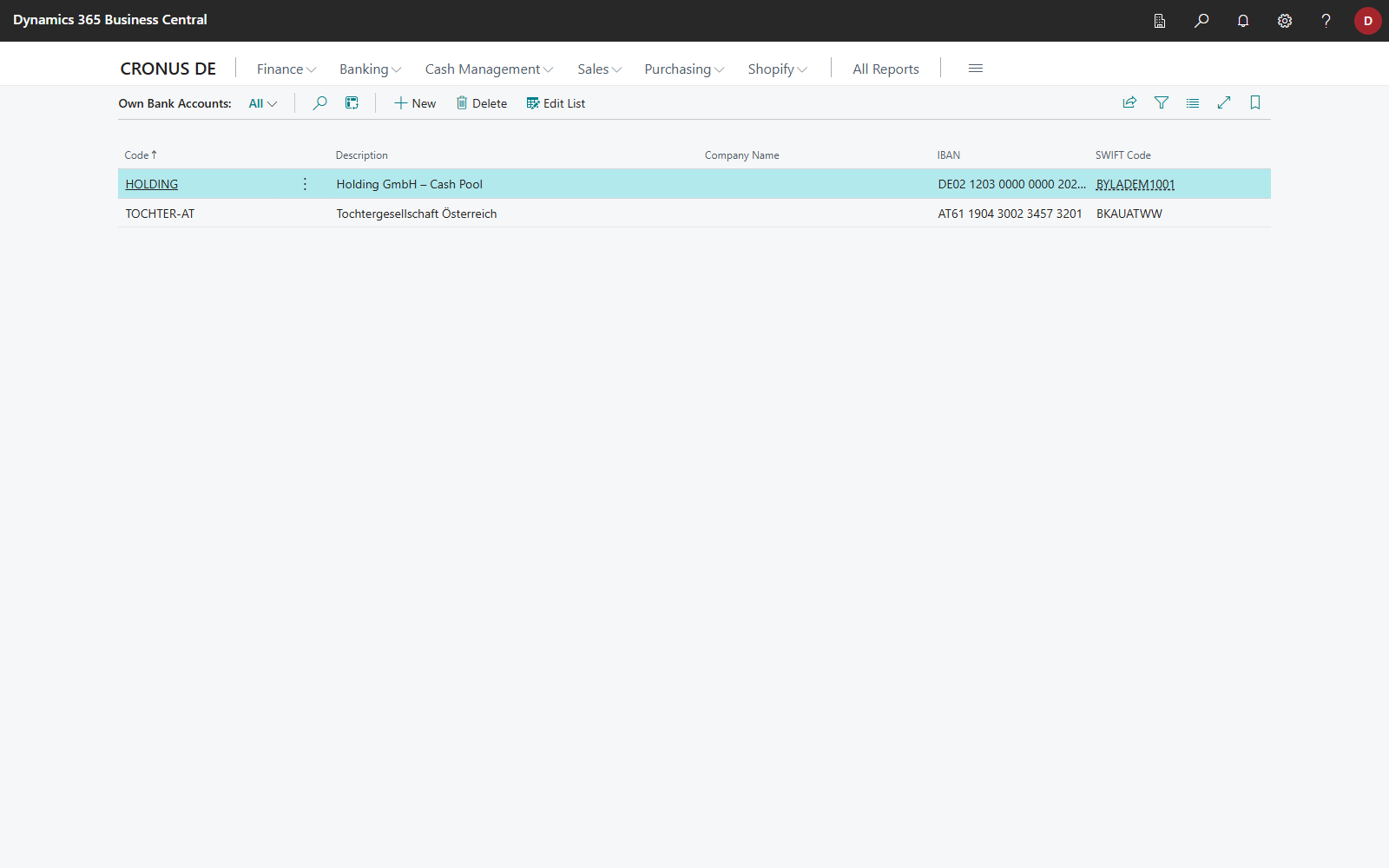
On the Own Bank Accounts page, you record your own IBANs in 365 business Banking so that no customer or vendor bank accounts are created for them when posting.
Business Value
When reconciling bank transactions, 365 business Banking assigns the customer or vendor based on the sender IBAN or recipient IBAN of the bank transaction, using the customer or vendor bank account. This facilitates sender and recipient identification, speeds up reconciliation, and significantly increases matching accuracy. By default (switch Create Bank Accounts in Banking Setup), 365 business Banking creates a new bank account in Microsoft Dynamics 365 Business Central when a payment reconciliation journal line is posted with an unknown bank account of a customer or vendor. The new bank account receives the relevant information from the payment reconciliation journal line or the bank transaction (see Related Party Matching).
To avoid incorrect assignments, e.g., for internal transfers between the companies of your group or for erroneous transfers by the customer, record your own bank accounts. No new customer or vendor bank accounts are then created for these transfers.
Feature Description
In the General Ledger Setup, the Bank action group contains the Own Bank Accounts action. It opens the Own Bank Accounts page, where you manage your own bank accounts (for example, those of other companies in your group) with Code, Description, Company Name, IBAN and SWIFT Code.
Own bank accounts prevent neither related party matching nor the application of the bank transaction. They only ensure that no new customer or vendor bank account is created for one of your own IBANs when a payment reconciliation journal line is posted.
Details: Own bank accounts