Payment Application with Open Sales Documents
Business Value
Incoming payments frequently arrive before the related sales document has been invoiced – for example as a prepayment on a sales order, or as payment for a sales invoice that has not been posted yet. In standard Microsoft Dynamics 365 Business Central there is no customer ledger entry to apply the payment to at that point. The payment has to be posted on-account and the link to the document has to be tracked outside of the system, then applied manually once the document is invoiced.
Payment application with open sales documents in 365 business Banking captures that document reference during payment reconciliation and resolves it automatically when the document is invoiced.
Feature Description
365 business Banking also considers open sales documents during payment reconciliation – that is, sales orders and sales invoices that have not been posted yet.
Because no customer ledger entry exists when the payment arrives, the application happens in two stages:
- The payment is posted on-account to the customer of the document.
- The document reference is stored as a preliminary entry.
- As soon as the sales document is invoiced, the preliminary entry is applied automatically to the newly posted sales invoice.
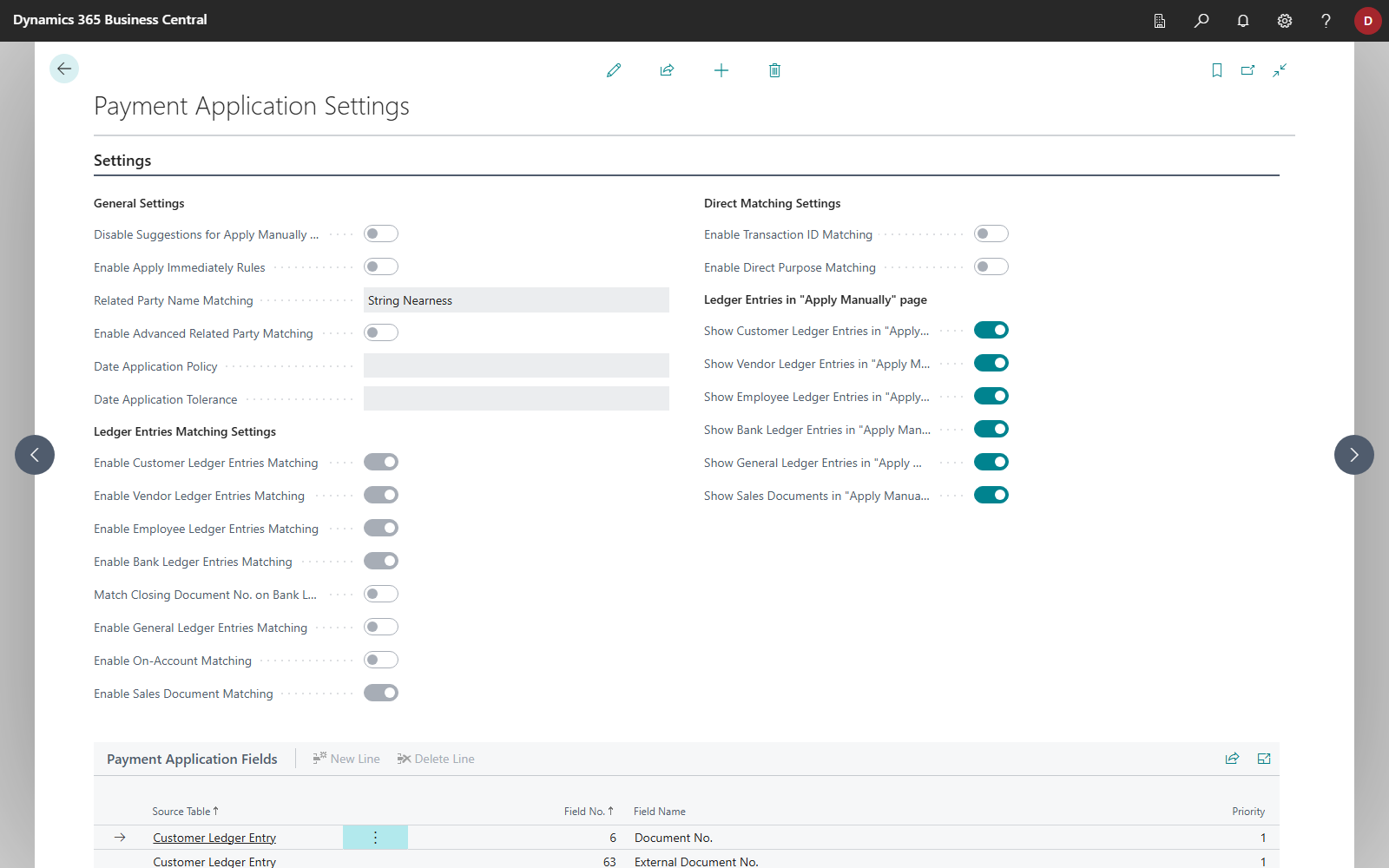
Two application paths are available and are enabled separately in the Payment Application Settings:
- Enable Sales Document Matching – open sales documents are proposed automatically for incoming payments. When a statement line references an open sales document, the proposal is rated with the match quality High - Sales Document.
- Show Sales Documents in "Apply Manually" page – every open sales document of the customer appears on the Payment Application page as its own proposal line with the account type Sales Order or Sales Invoice, so it can be selected individually.
Good to know
The account types Sales Order and Sales Invoice exist for selection and display only. When the journal is posted, the line is converted into a regular on-account payment to the customer – the posting itself stays standard.
One customer per payment
A payment reconciliation line can only settle sales documents of a single customer. Likewise, a sales document cannot be applied more than once within the same reconciliation.
Preliminary entries stay traceable
Preliminary entries are never deleted. They are closed once they have been settled in full and remain available in the Preliminary Entries list as a record.
For more information about setup and usage, see Payment Application with Open Sales Documents.