
Payment service providers
PayPal, Stripe, Adyen, Mollie, Klarna, Shopify, Unzer and Amazon Pay in 365 business Banking: retrieve transactions and fees, apply them and collect payments.
A payment service provider receives your customers' payments and pays them out to you in batches. In Business Central, you manage it like a bank account: its transactions are imported into the payment reconciliation journal and applied to invoices there. You apply the payout to your house bank account as a transfer.
Supported payment service providers









Functions per payment service provider
| Retrieve transactions | Fees as separate lines | Collect payment | |
|---|---|---|---|
| PayPal | yes | yes | yes |
| Stripe | yes | yes | yes |
| Adyen | yes (settlement reports) | yes | yes |
| Mollie | yes | yes | no |
| Klarna | yes | yes | no |
| Shopify | yes (Shopify Payments) | yes | no |
| Unzer | yes | no | no |
| Amazon Pay | yes (settlement reports) | yes | no |
For CSV files from other payment service providers and systems, use Universal.
How to connect a payment service provider
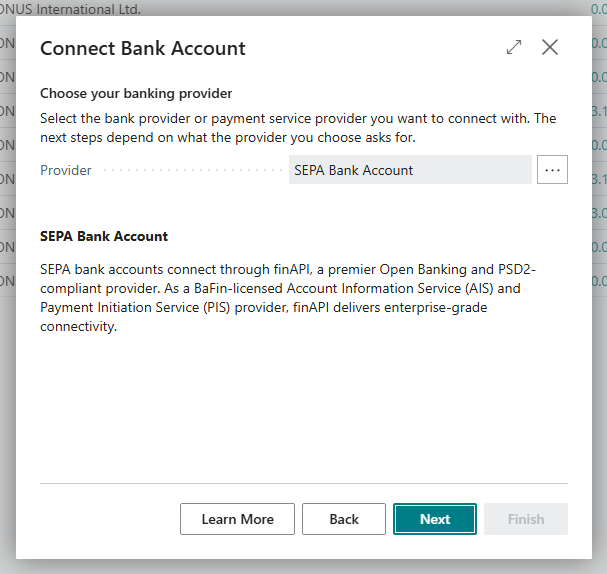
- Choose the Search icon, enter Bank Accounts and choose the Connect Bank Accounts action.
- In the Choose your banking provider step, choose the payment service provider in the Provider field.
- In the Choose the bank account step, create a new bank account for the payments or use an existing one.
- Enter the credentials or authorize Business Central at the provider.
- Choose Finish.
The credentials that each provider requires are listed on its page. The wizard is described in Connect a bank account.
Note
You connect payment service providers only with the Connect Bank Account wizard. The bank account card has no separate action for this.
See also
- Payment service provider fees
- Collect payment via payment service providers
- Direct matching for payment service providers
- Bank connections