
PayPal
Collect PayPal Payments
This article describes how to collect customer payments with PayPal in 365 business Banking.
Prerequisites
- A payment method code with Bal. Account Type set to
Bank Account, linked to the connected PayPal bank account. - A customer bank account with Payment Service set to
PayPal. - A successful payment authorization for that customer bank account.
- For automatic collection during posting: Preferred Bank Account Code is set on the customer.
Setup
1. Create or configure payment method
- Open Payment Methods.
- Create a payment method (for example
PAYPAL). - Set Bal. Account Type to
Bank Accountand choose the connected PayPal bank account.

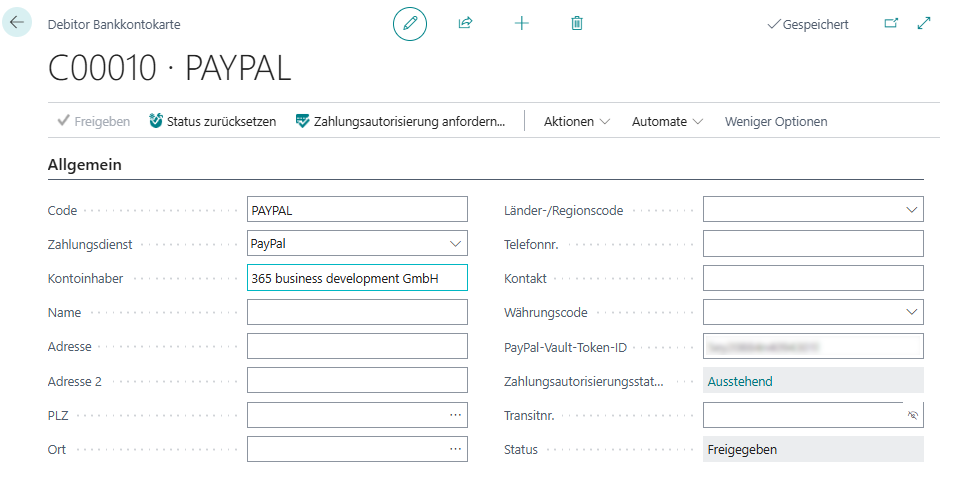
2. Configure customer bank account and request authorization
- Open Customers and select the customer.
- Open Bank Accounts.
- Create a customer bank account and set Payment Service to
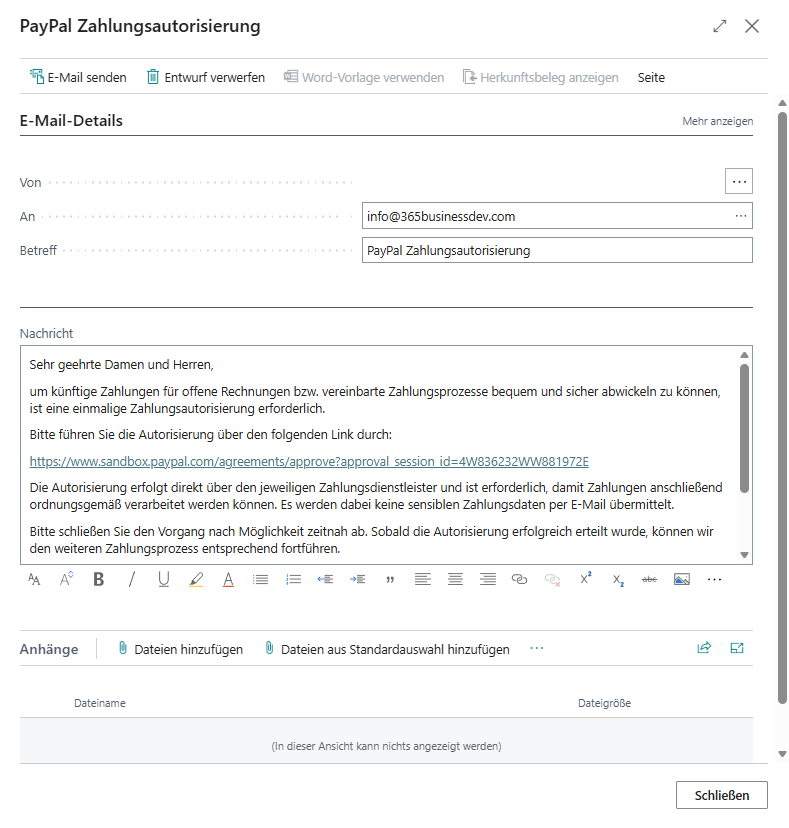
PayPal. - Run Request Payment Authorization....
- Wait until the authorization status is Successful.
Example email for PayPal:
3. Optional: enable automatic collection on posting
- Open the customer card.
- Set Preferred Bank Account Code to the authorized customer bank account.
Collect Payments
Automatically during posting
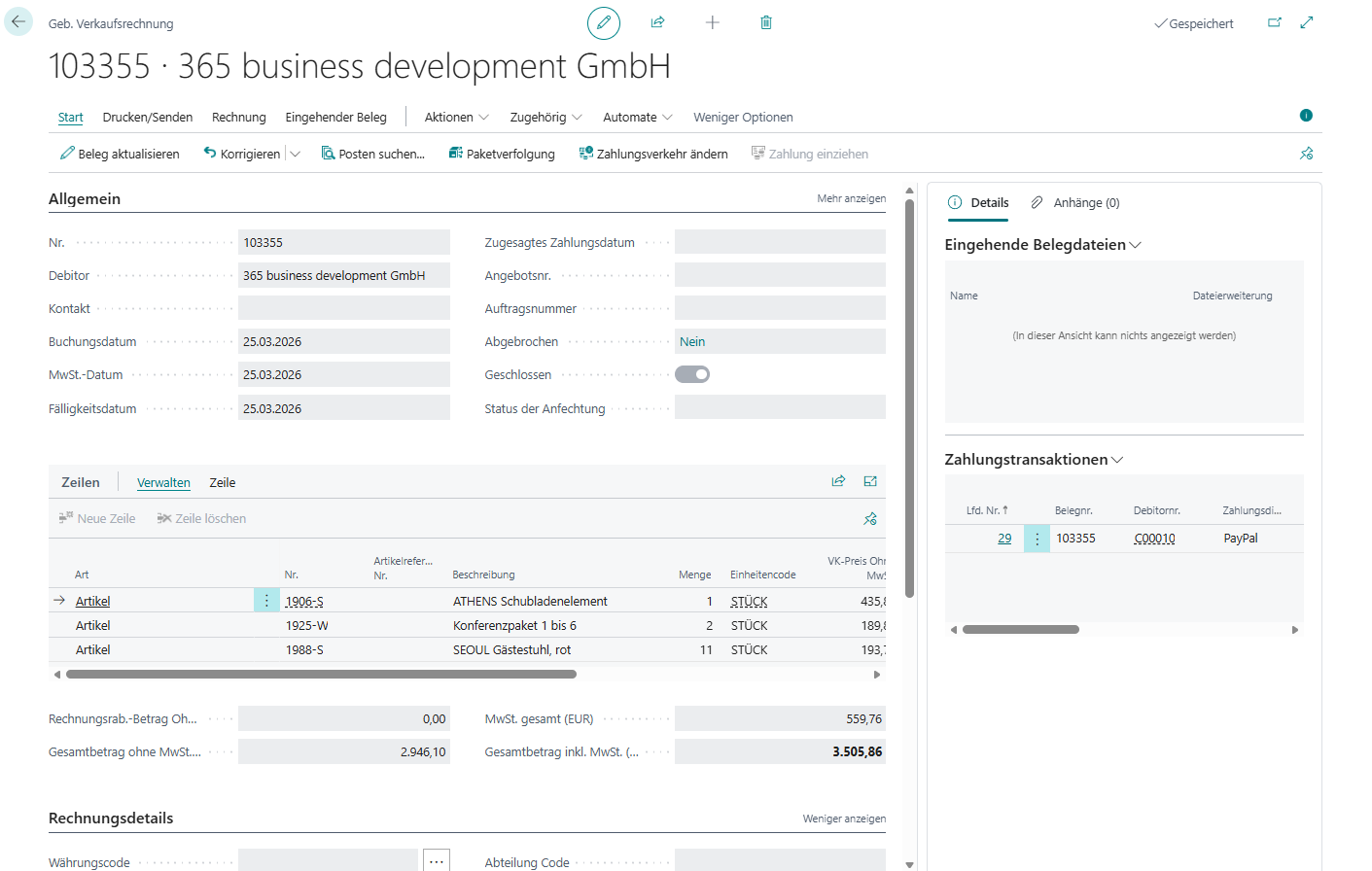
- Create a sales invoice with Payment Method Code set to your PayPal payment method.
- Post the invoice.
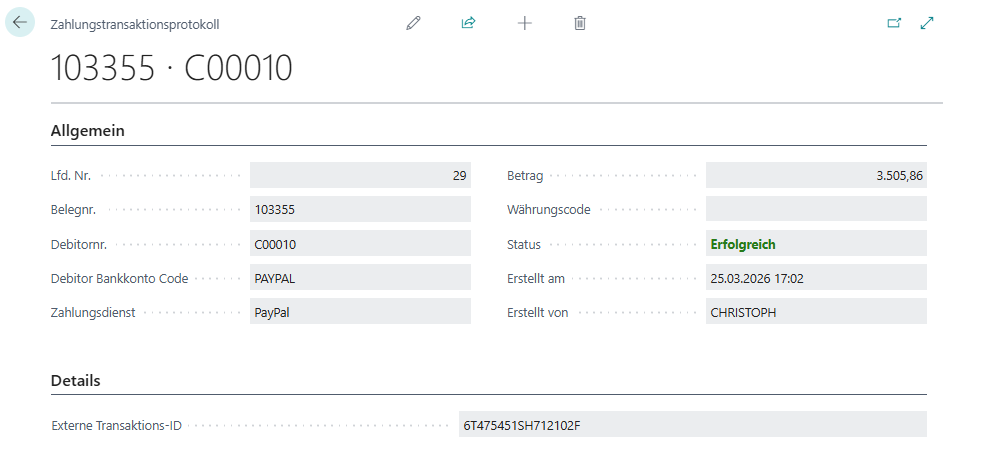
- If successful, the invoice is applied automatically.
Manually for a posted invoice
- Open Posted Sales Invoices.
- Select the invoice.
- Run Collect Payment.
Batch collection
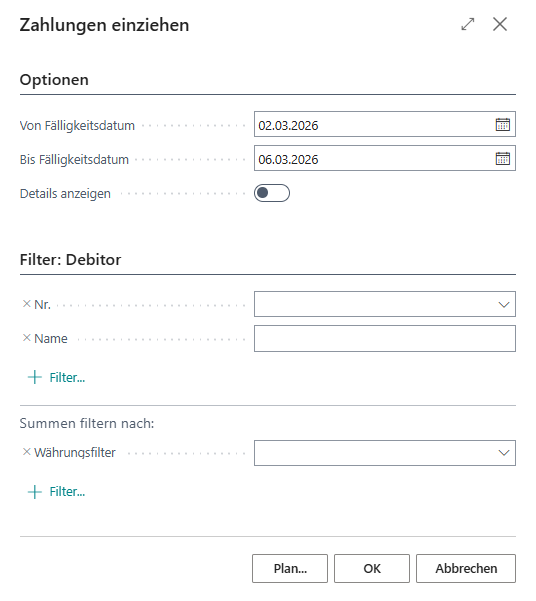
- Open Collect Payments.
- Set filters (for example due date, customer, payment method code).
- Run the process with OK.
PayPal App Permissions
| Permission | Description |
|---|---|
Save payment methods | Enables storing payment methods so customers can grant payment authorizations. |
Error Handling
- If collection fails, the invoice is not applied automatically.
- Check Payment Transactions on the posted invoice for root-cause details.
- After resolving the issue, retry collection.
Important when collection fails
If collection fails, verify payment authorization status and the selected payment method code first. Retry only after the underlying issue has been fixed.
See also
- PayPal Overview
- PayPal Setup
- Retrieve PayPal Transactions
- Bank Account Reconciliation
- Feature: Collect Payment
Last modified on