
365 business Sanction Screen
Quick Check
In some cases, it may be useful to perform checks before taking an action. In this case, you can use the Quick Check to directly capture the data to be checked:
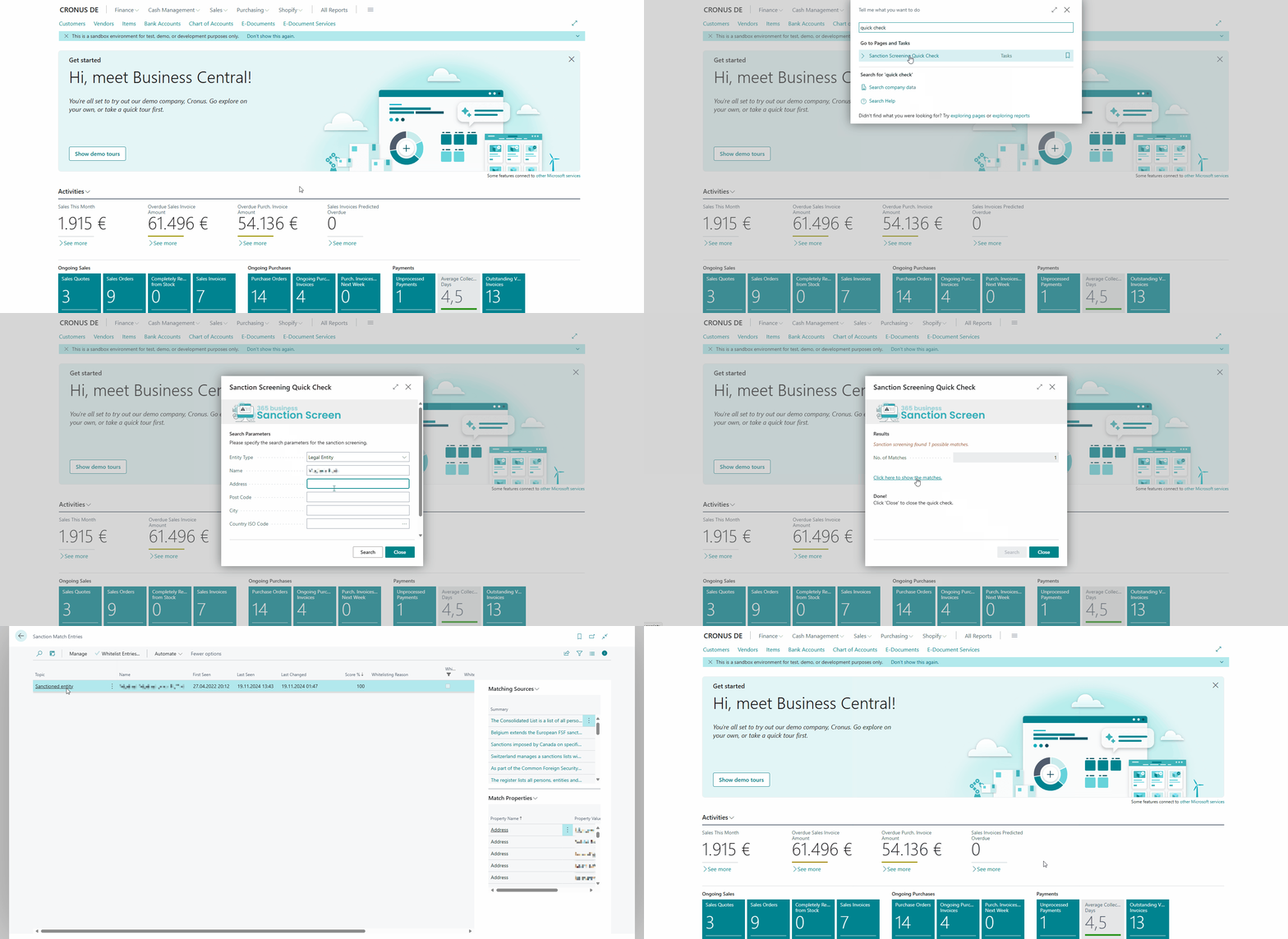
Perform Quick Check
- Open the search in Microsoft Dynamics 365 Business Central.
- Enter Sanction Screening Quick Check.
- Enter the required data, but at least the name.
- Select Search.
- Review the results and take the necessary actions.
- Select Close to close the page.
A quick check is recorded in the Sanction Screening Log like any other screening and therefore also appears in the audit report. Because it screens freely entered data rather than a record in Microsoft Dynamics 365 Business Central, it shows up only among the screenings performed, not in the gap analysis.
See also
Last modified on