
Data Retention
The sanction screening log and the recorded decisions are evidence. How long you keep them is controlled through the standard Retention Policies feature of Microsoft Dynamics 365 Business Central, not through a cleanup of our own.
Set up a retention policy
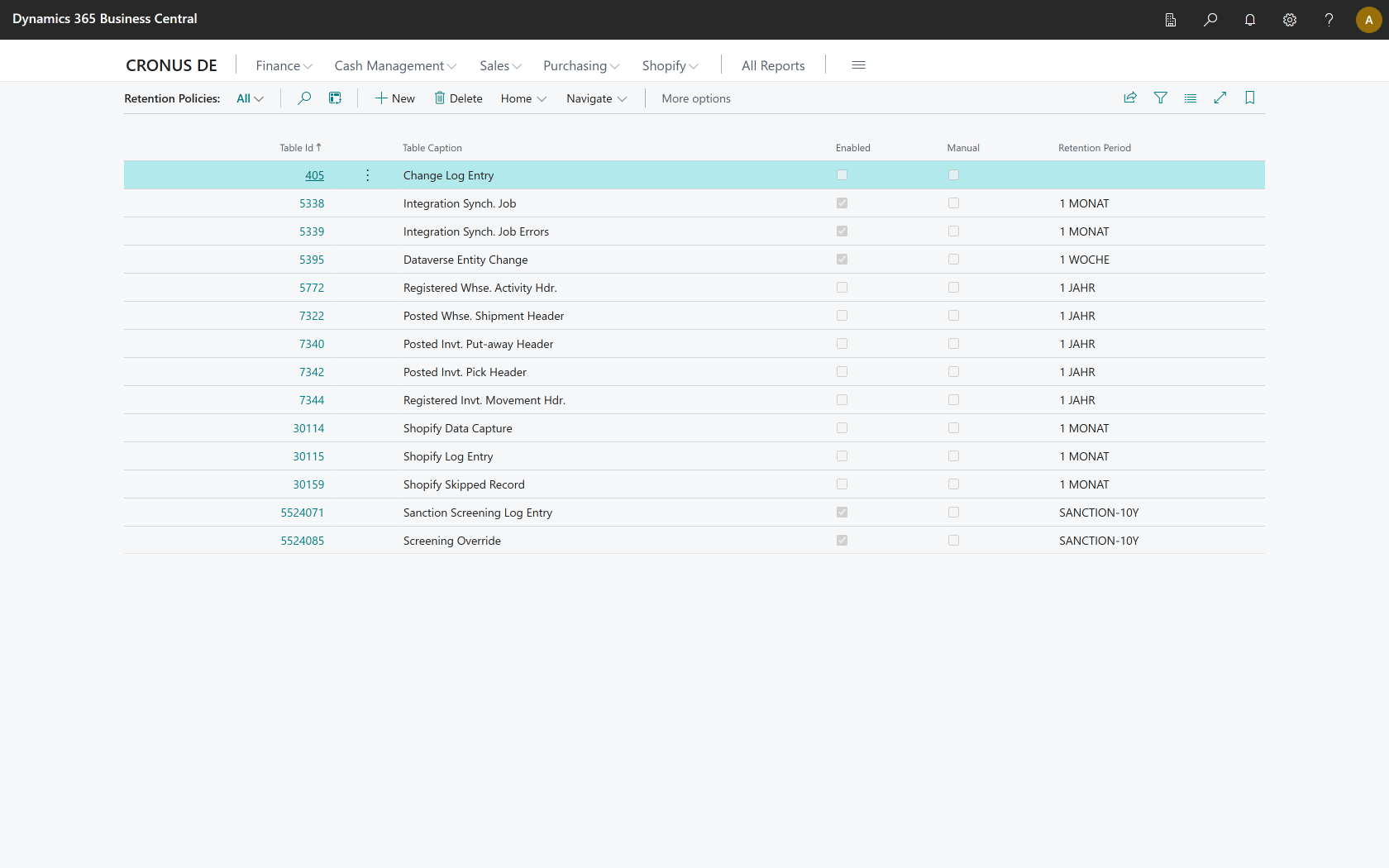
- Open the Retention Policies page through the Microsoft Dynamics 365 Business Central search.
- Choose New.
- In the Table ID field, select one of the two tables:
- Sanction Screening Log Entry — the screenings that were performed
- Screening Override — the decisions that overrode a screening result
- Choose the Retention Period.
- Switch the policy on using the Enabled field.
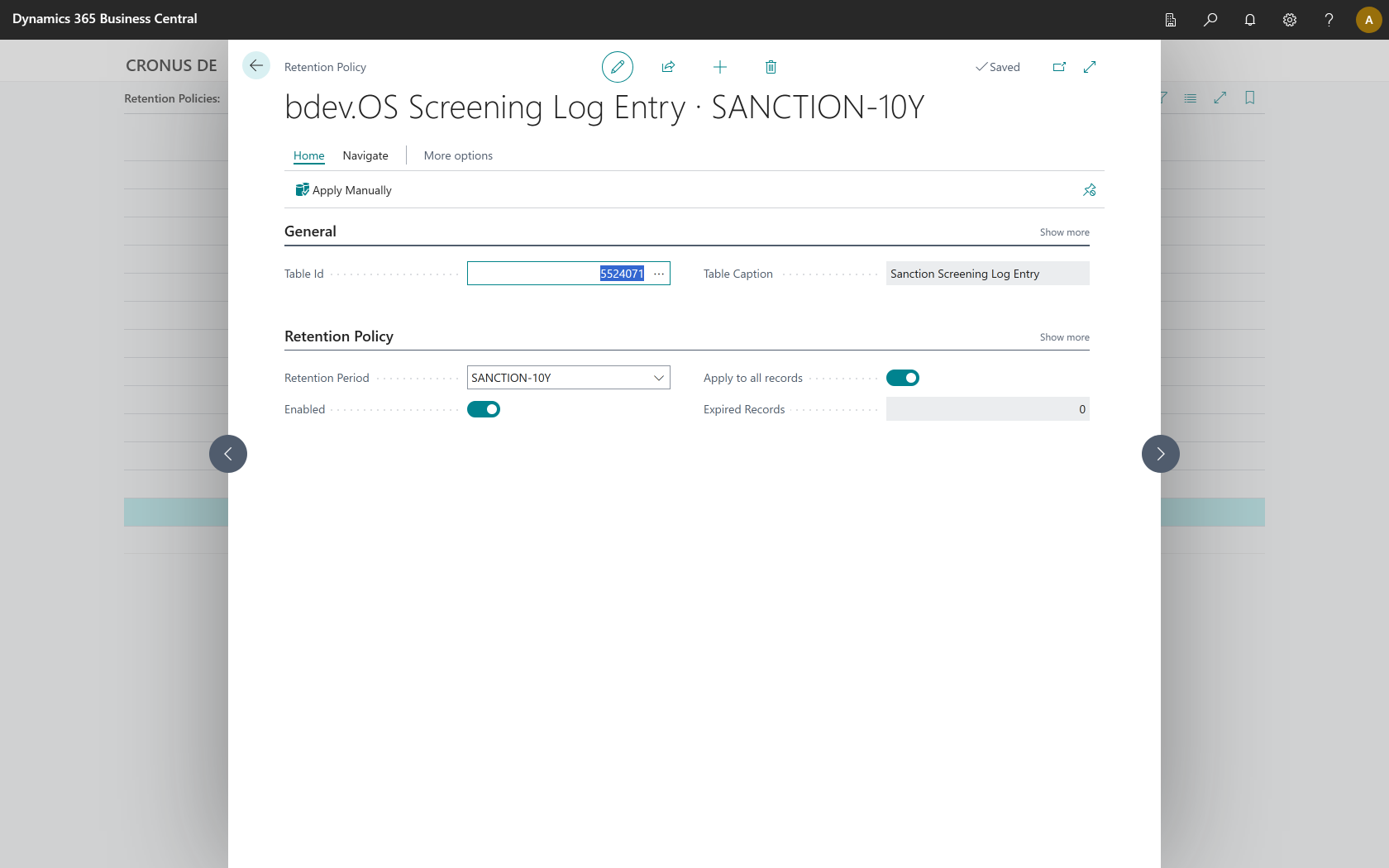
On the policy card you set the period and switch the policy on. Apply to all records means the period applies to every entry of the table.
The audit report states the period that is set up per table. If no policy exists for one of the two tables, the report says so explicitly, so that the question of how long the evidence is kept does not stay open in the document.
Mandatory minimum retention
Five years are mandatory
Both tables carry a mandatory minimum retention period of five years. A shorter period is rejected. The reason: a screening record must not be deletable by accident while a retention obligation is still in force. Ten years is offered as the suggested period.
The periods follow the common requirements of anti money laundering law, the OFAC record keeping rules and commercial record keeping obligations.
Not legal advice
The periods mentioned here are guidance, not legal advice. Which retention obligations apply to your company depends on your industry, your place of business and your business relationships. Please clarify this with your adviser.
What is deleted along with an entry
When a log entry expires, the following are deleted together with it:
- the matches of that screening
- their properties, risk tags and data source assignments
This is necessary because a retention policy only ever empties the table it is defined on. The match tables carry no screening date — the dates they do carry describe the sanction entry, not the check — and therefore cannot have a policy of their own. Without the cascade, orphaned matches would stay behind permanently.
What is kept
The screened scope is preserved
The snapshots of the screened data scope (table Screening Scope) are not deleted and are deliberately not offered for retention policies. They are the evidence of which data sources a record was checked against, and they are shared between many screenings. A deleted snapshot would make every log entry that still exists unprovable. Storage is negligible, because a new snapshot is only written when the data sources or their versions actually change.
Relation to erasure requests
Retention policies are not a tool for handling erasure requests from data subjects. For the duration of a statutory retention obligation, retention takes precedence. How to handle an erasure request that touches data in these tables is something to clarify with your data protection officer.