
Data Catalogs
Selecting the data catalogs for the sanctions list check is an important step in setting up 365 business Sanction Screen in Microsoft Dynamics 365 Business Central. The data catalogs reference the corresponding sanctions lists that should be used for the check.
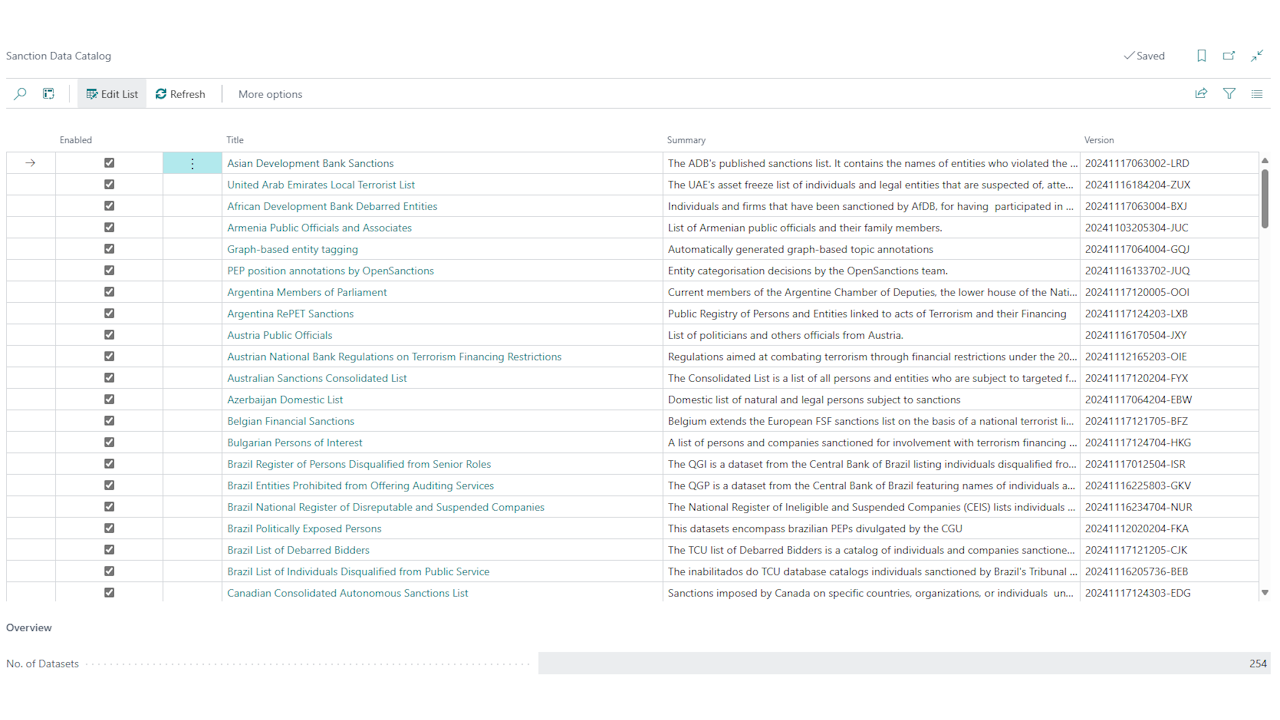
By default, all available data catalogs for the sanctions list check are enabled. However, you can customize the selection of data catalogs to check only the relevant lists. This can be particularly useful if your company operates only in certain regions or industries and wants to limit the check to these specific lists.
The data catalogs to be used can be configured on the Sanctions Data Catalog page. Here you can enable or disable individual data catalogs to tailor the sanctions list check to your requirements. Additionally, each catalog has a link to the official source for more information.
Which data catalogs were enabled at the time of a screening is recorded with every screening. The audit report states them with their version and how current they were - a screening without a hit cannot be evidenced otherwise.