
LPD / LPR Support
The 365 business Print Agent supports communication via the Line Printer Daemon Protocol (LPD) for all printers that emulate ZPL (Zebra Programming Language).
Info
The Line Printer Daemon Protocol (LPD) is a network protocol originally developed in the 1980s by the University of California, Berkeley. It is used to manage and transmit print jobs over a network, especially in UNIX environments.
Problem
The 365 business Print Agent uses Microsoft's LPR tool for LPD printing, which is included with Windows Server editions.
Solution
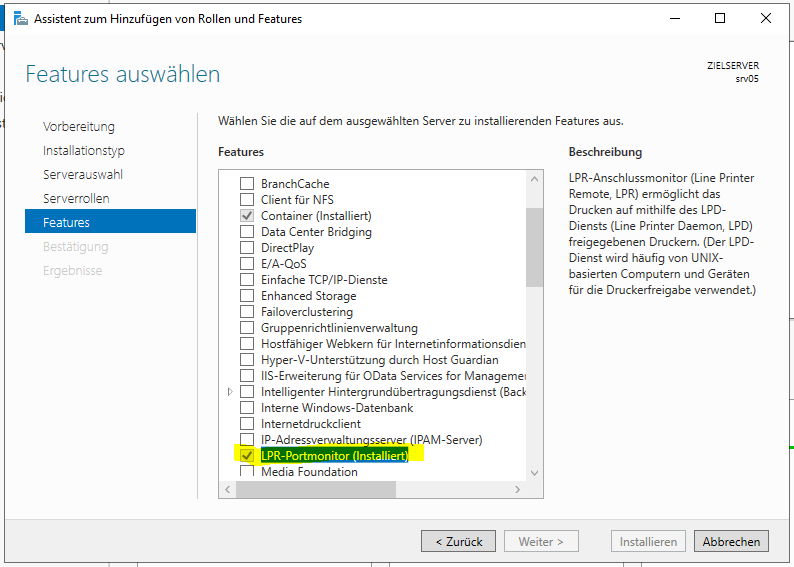
Install the Windows feature LPR Port Monitor to enable the LPR service on Windows Server.
Perform a Test Print
After installation, ensure the printer is properly configured and test the print process using the following command:
Code
Good to know
Make sure the printer name is specified exactly as configured.