
Print Agent Configuration
Analysis and Statistics
One of the core features of the 365 business Print Agent Config Tool is the ability to generate detailed charts, statistics, and logs.
These features can be accessed:
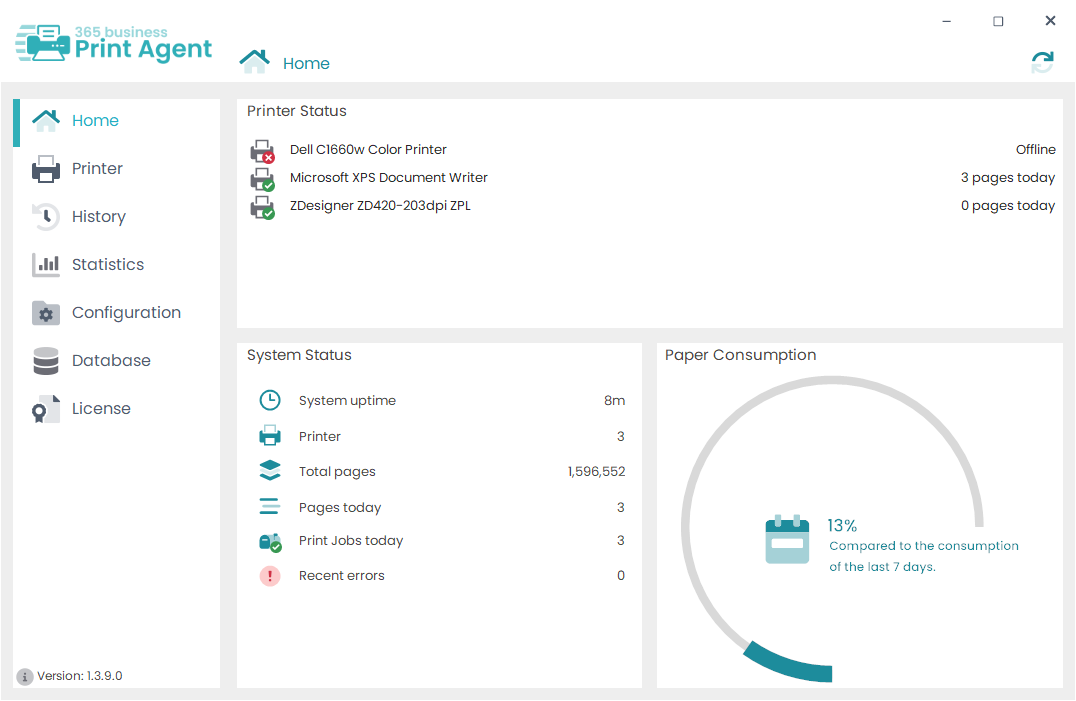
- directly on the Dashboard at startup
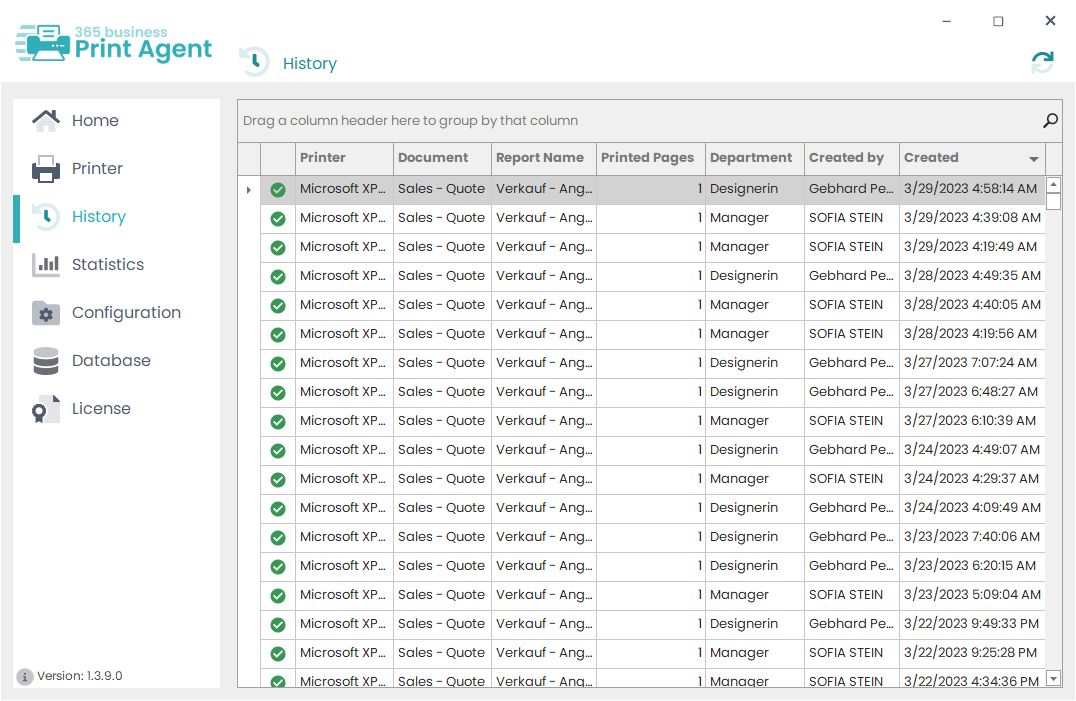
- via the “History” menu
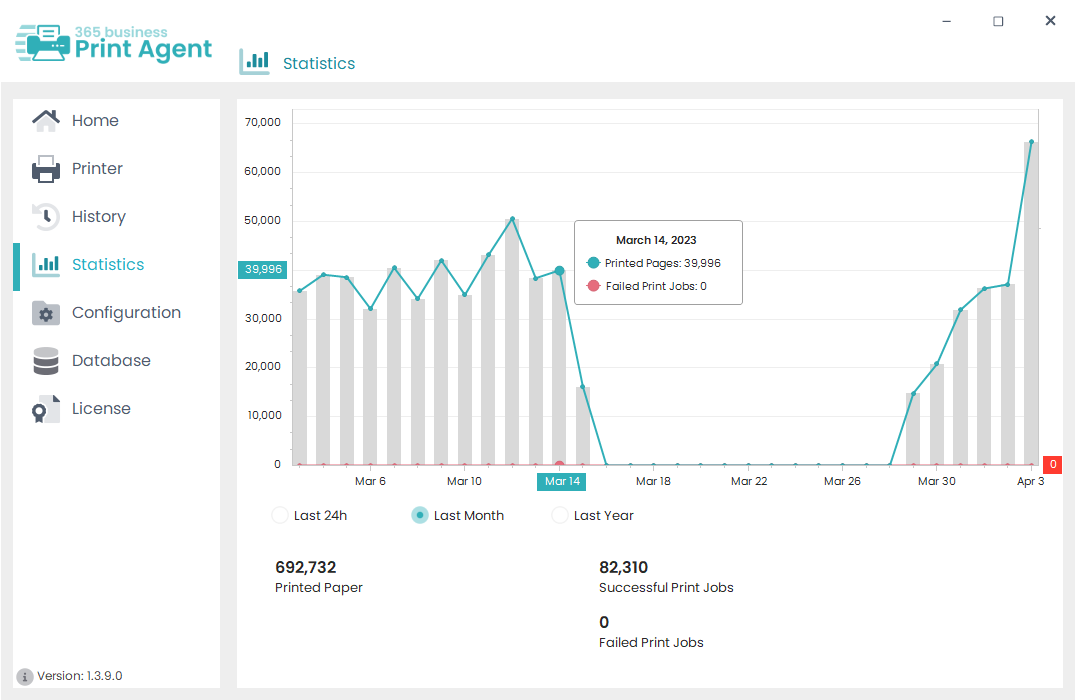
- or through the “Statistics” section
Use this information to:
- identify the most frequently used printers.
- detect areas where printers may not be suitable for the task.
- monitor user and printer behavior over time.
- uncover printing errors and device-related issues.
Views at a glance
Dashboard
Shows printer status, system status, and paper usage at a glance.
Statistics
Visualizes print volume and print jobs for the selected period.
History
Lists individual print jobs and lets you filter and group the entries.
Last modified on