


365 business Print Agent
Print Agent Service
Sometimes, it can be helpful to check which Print Agent Services are registered and online for your tenant.
For example, if a printer is not available, a good first troubleshooting step is to check whether the related Print Agent service is online.
Info
You can find the name of the Print Agent Service you entered during the Print Agent Service Setup in the Printers page.
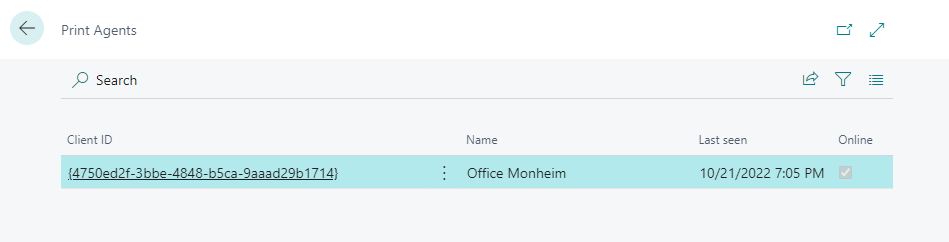
How to view a list of Print Agents?
- Open Print Agent Setup page.
- Select Related.
- Choose Print Agents....
Info
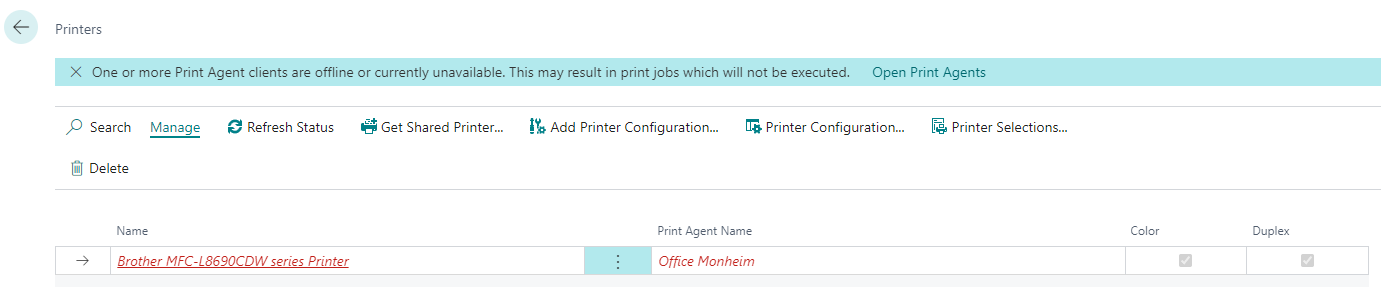
Whenever an offline printer is detected in Microsoft Dynamics 365 Business Central, you will see a notification in various places to inform you of the issue.
From this notification, you can directly open the list of Print Agents by selecting the Open Print Agents action.
Last modified on