
365 business Address Validation
User Settings
User settings are used to specify or adjust the behavior of the address validation per user.
Info
As administrator, with the permission set SUPER, you can change or define global settings and settings of other users.
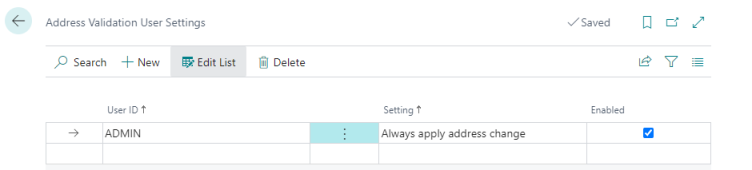
Which settings are supported?
In the current version the following settings are supported:
| Setting | Description | Default value | Minimum version |
|---|---|---|---|
| Always apply address changes | Specifies that changes are automatically applied by address validation and completion without prior checking via Compare Address. | No | 17.4 |
What are global settings?
Global settings are applied to all users in the system unless they have a specific setting. With global settings, the value in the 'User ID' field remains empty.
See also
Last modified on