


Verification of Payee (VoP)
Since October 2025, the Verification of Payee (VoP) has been mandatory for SEPA transfers in Germany. This measure aims to prevent fraud and increase payment security by matching the payee's name with the information stored at the bank.
365 business Banking supports Verification of Payee for SEPA transfers to ensure your payments comply with legal requirements. When you initiate a SEPA transfer, the payee's name is automatically checked. If the payee's name does not match the information held by the bank, you will be notified and can take appropriate action.
The verification takes place in real time during the transfer process, so you are immediately informed if there are any discrepancies. This helps avoid errors and ensures your payments are processed correctly and securely.
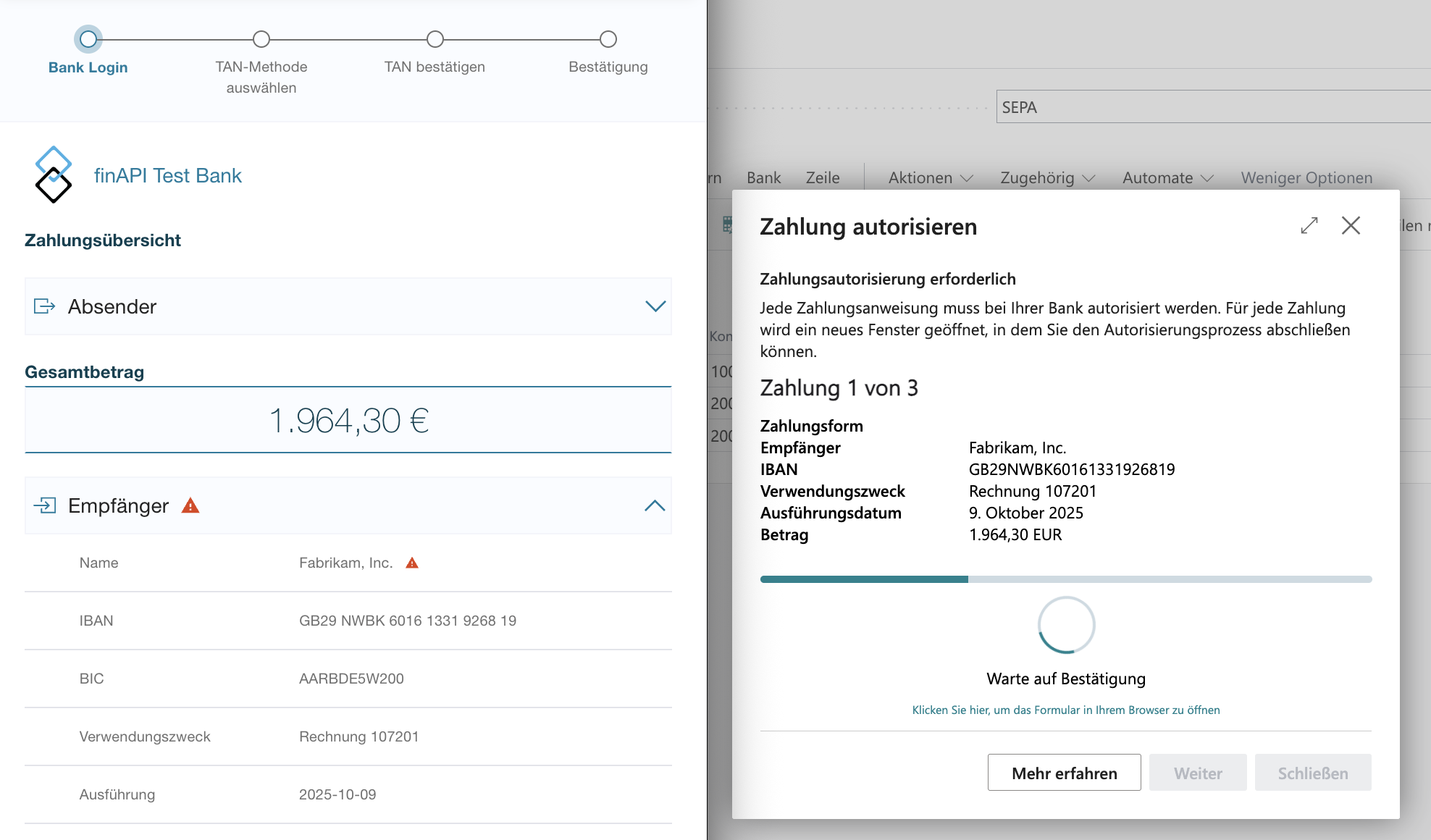
Verification of Payee (VoP) directly in 365 business Banking
Additionally, the Verification of Payee (VoP) feature is available in 365 business Banking. With this function, you can verify your master data (e.g., customer and vendor accounts) directly in Microsoft Dynamics 365 Business Central for consistency with the information stored at the bank.
Good to know
The Verification of Payee (VoP) in 365 business Banking is a paid feature that can also be licensed separately from 365 business Banking.
Please note that using Verification of Payee (VoP) may incur additional costs.
For more information on licensing and pricing models, please contact your Microsoft partner or 365 business development support.
The verification results are displayed clearly, allowing you to quickly identify whether the stored names are correct or if adjustments are required.
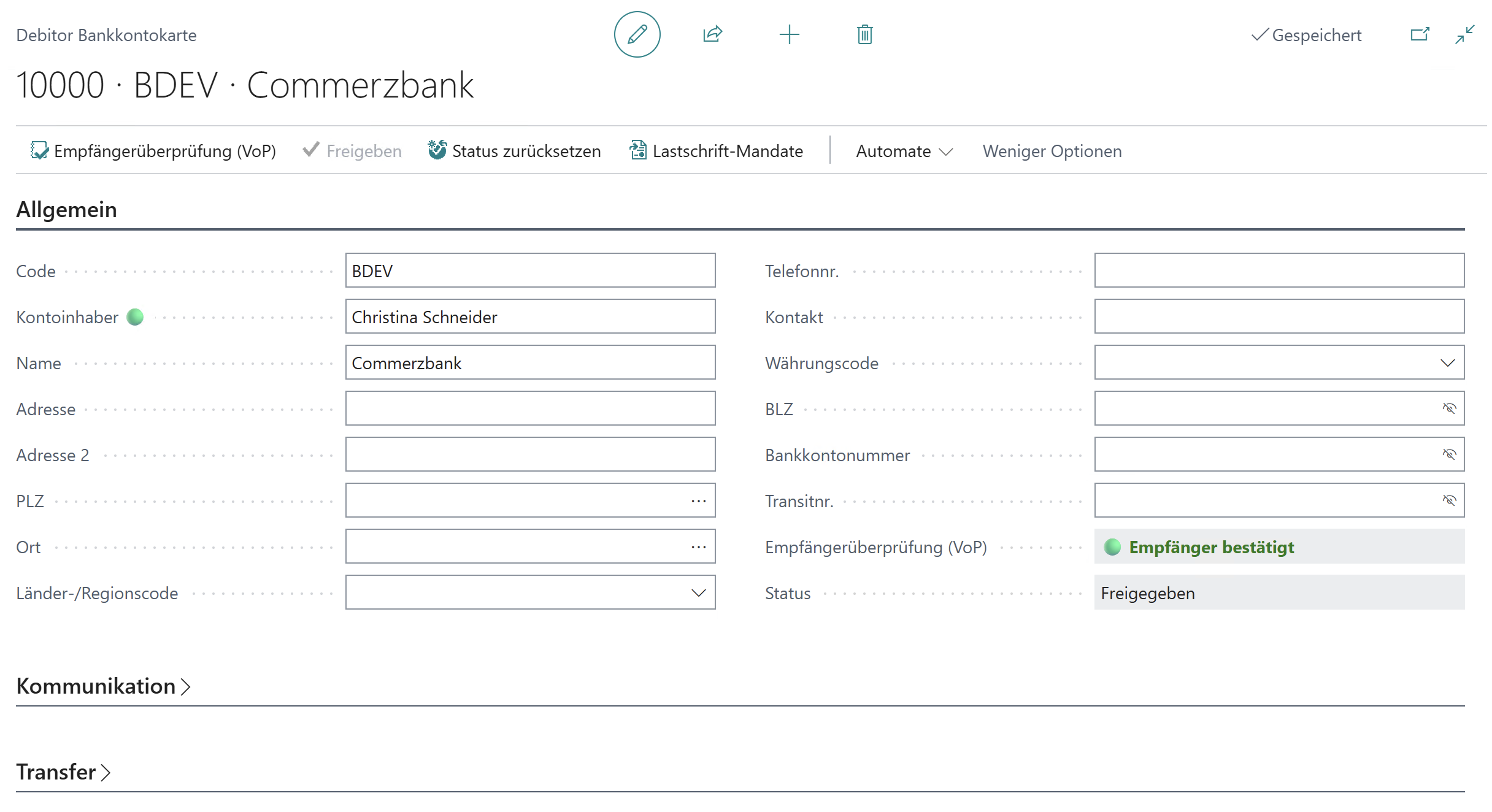
What statuses are there?
The Verification of Payee (VoP) in 365 business Banking has the following statuses:
| Status | Description |
|---|---|
| Empty | The bank account is not a SEPA bank account or incomplete information is available. |
| ⚪ | Verification of Payee (VoP) has not yet been performed for this bank account. The account holder has not been verified against the bank data. |
| ◯ | Verification of Payee (VoP) is not available for this bank account. Possible reasons include technical limitations, unsupported countries, banks, or account types. |
| 🔴 | Verification of Payee (VoP) has failed. The specified account holder does not match the name reported by the bank. This may indicate an incorrect or potentially risky payment. |
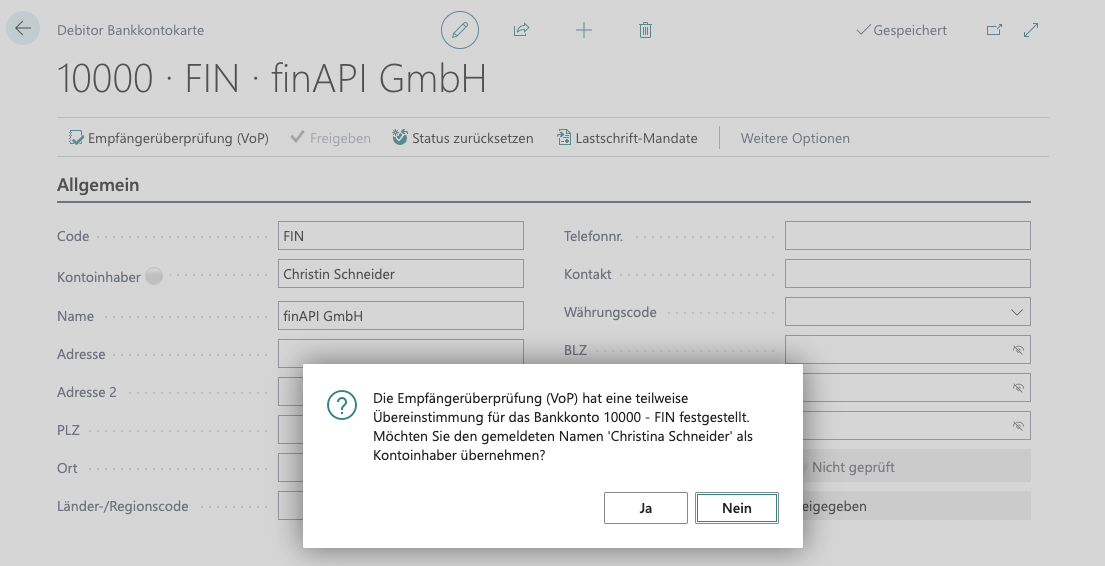
| 🟡 | Verification of Payee (VoP) has detected a partial match. The specified account holder differs slightly from the name reported by the bank. Please check the details before further processing. |
| 🟢 | Verification of Payee (VoP) was successful. The specified account holder matches the name returned by the bank. |
What happens in case of a failed verification?
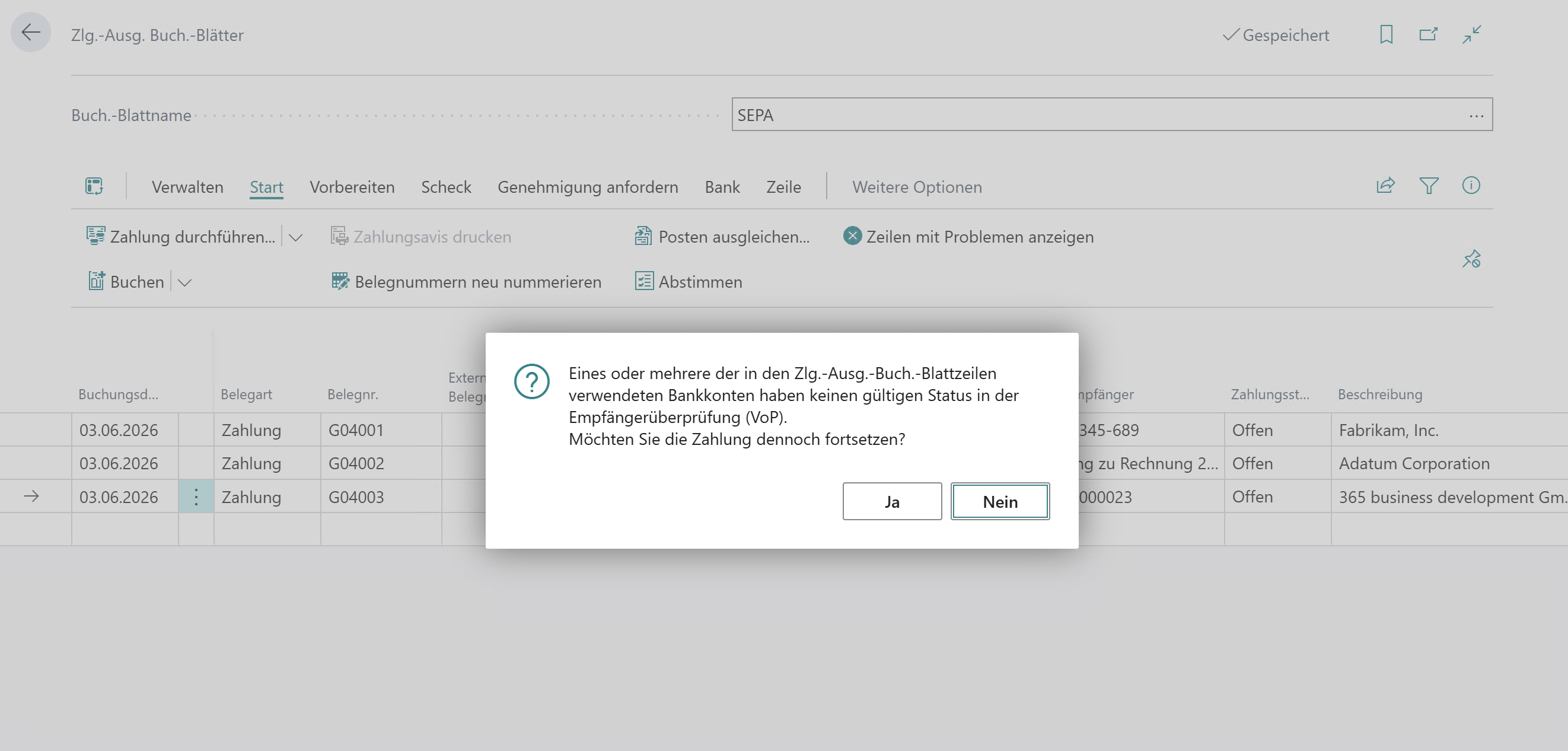
In case of a failed Verification of Payee (VoP) in 365 business Banking, the status '🔴' is displayed. This means that the specified account holder does not match the name reported by the bank. In this case, you should verify the stored information and correct it if necessary to ensure your payments are processed correctly.
Note
Please note that the execution of SEPA transfers to recipients with failed Verification of Payee (VoP) is not actively prevented.
365 business Banking only informs you about the mismatch, so you can take appropriate action.
What happens in case of a partial match?
In case of a partial match, the status '🟡' is displayed. This means that the specified account holder differs slightly from the name reported by the bank. In this case, the system offers to update the account holder name with the name returned by the bank.
What happens in case of a mismatch?
If the payee's name does not match the information held by the bank, you will receive a warning. In this case, you can review the transfer and correct it if necessary before it is executed. This gives you the opportunity to fix errors and ensure your payment goes to the correct recipient.
How can I manage differing account holders?
365 business Banking allows you to manage differing account holders. A typical use case is when you regularly make payments to a recipient whose name differs from the name held by the bank (for example, company names or trade names).
In these cases, you can enter a differing name in the Account Holder field on the customer or vendor bank account, which 365 business Banking will use when initiating SEPA transfers.
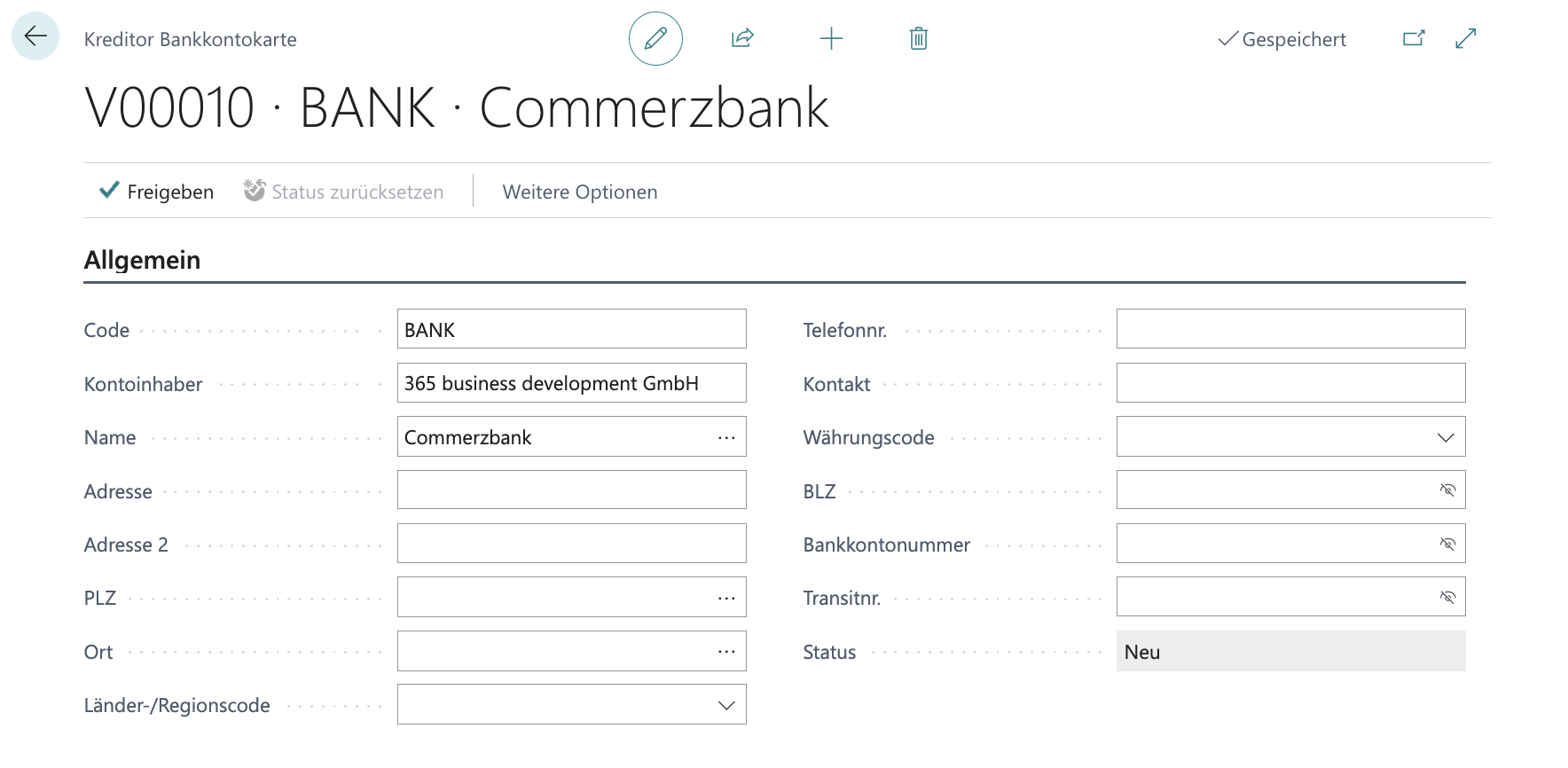
Step-by-step guide
Follow these steps to enter a differing account holder. The example below uses a vendor bank account:
- Select Vendors in the Microsoft Dynamics 365 Business Central search.
- Open the card of the desired vendor.
- Choose the Vendor action menu and the Bank Accounts action.
- Open the vendor's desired bank account.
- Check the Account Holder field. Enter the differing name here that should be used for recipient verification.
Good to know
Verification of Payee (VoP) is intended to protect against fraud and increase the security of processing SEPA transfers.
Please make changes to the Account Holder field only if you are sure the differing name is correct and used regularly.