import { Callout } from "zudoku/ui/Callout";
# Get Started
With 365 business PDF, you add functionality to Microsoft Dynamics 365 Business Central to refine and enhance reports and documents created from Microsoft Dynamics 365 Business Central. For example, you can automatically attach your general terms and conditions to sales quotes.
All of this without customization and easily and simply configurable through the Microsoft Dynamics 365 Business Central interface.
## How do I configure reports?
For each supported action, such as signing, chaining and stationery, there is a separate configuration. Each configuration is assigned a unique code which can be referenced in the configuration of the documents and reports.
| Action | Configuration | Description |
| --- | --- | --- |
| Signing | [PDF Signing Configurations](signing.md) | Signs PDF files based on a certificate to make them tamper-proof. |
| Concatenate | [PDF Concatenation Configurations](concatenate.md) | Concatenates one or more PDF files with the created document or report from Microsoft Dynamics 365 Business Central. |
| Stationery | [PDF Stationery Configurations](stationery.md) | Deposes a digital stationery behind the created document or report from Microsoft Dynamics 365 Business Central. |
### How do I assign my configurations to documents and reports?
1. Open the report selection for the desired area (e.g. purchasing, sales, service, projects, reminder/interest invoice).
2. Select **Configuration**
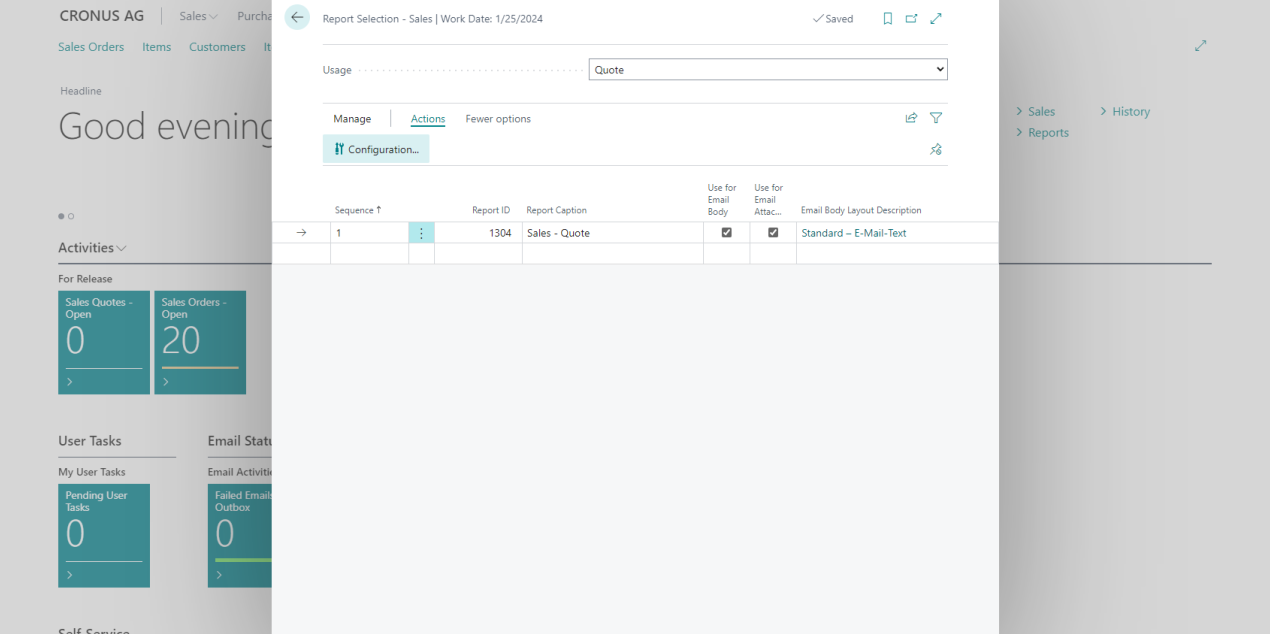
3. Select the configuration code for the desired actions (signing, concatenate, stationery).
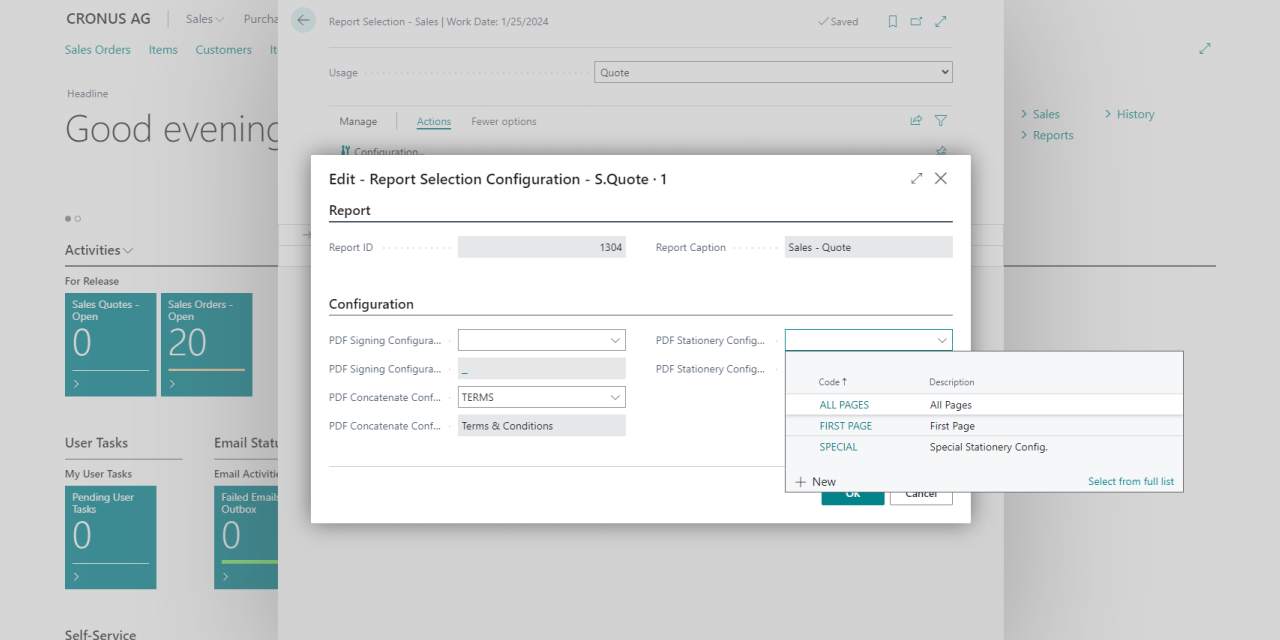
## What do I need to use 365 business PDF?
365 business PDF is based on the PDF service of the [365 business API](../365-business-api/index.md). To use it a [registration with the 365 business API is required. To test 365 business PDF and other services based on the 365 business API you can register for a 30-day trial period free of charge and without obligation.
There are no costs for you and the trial period ends automatically.
Learn more about the for the 365 business API and start your free and non-binding test phase.
### What are the costs of use?
The 365 business API services are charged on a usage base after the free and non-binding trial period. Usage is measured in so-called *transactions*, whereby a *transaction* corresponds to a successful use of the API service.
For example, if you have the stationery applied to 1,000 documents, the cost is 100 euros (as of May 2022).
The current prices can be found on our website.