import { Callout } from "zudoku/ui/Callout";
import { IconCardsGrid, LinkGroupCardsGrid } from "../../../src/components/ColumnsCards";

# 365 business Barcode

Encode and decode 1D and 2D barcodes directly from Microsoft Dynamics 365 Business Central, via 365 business Barcode. With 365 business Barcode, you can integrate barcodes into any part of your application, whether it's on the work ticket, the picking slip, the delivery bill or the invoice! With our powerful and flexible app, you can support your processes with barcodes without much implementation effort.

![365 business Barcode](/assets/images/365-business-barcode/logo.png)

365 business Barcode uses the barcode service of the [365 business API](../365-business-api/index.md) and requires an active subscription after the free and non-binding trial period. The 365 business API is connected to Microsoft Dynamics 365 Business Central via the 365 business API app.

<IconCardsGrid
  items={[
    {
      href: "/en-us/365-business-barcode/barcode-whatis",
      iconClass: "fa-duotone fa-thin fa-map",
      eyebrow: "Overview",
      title: "What is 365 business Barcode?",
    },
    {
      href: "/en-us/365-business-barcode/supported-barcodes",
      iconClass: "fa-duotone fa-thin fa-qrcode",
      eyebrow: "Features",
      title: "Supported Barcode types",
    },
    {
      href: "/en-us/365-business-barcode/barcode-settings",
      iconClass: "fa-duotone fa-thin fa-book-open-cover",
      eyebrow: "Set up",
      title: "Barcode Settings",
    },
  ]}
/>

<Callout type="tip" title="Good to know">
365 business Barcode can be tested free of charge and without obligation for 30 days.<br/>You need more time? No problem, just contact us.
</Callout>

## Functions at a glance

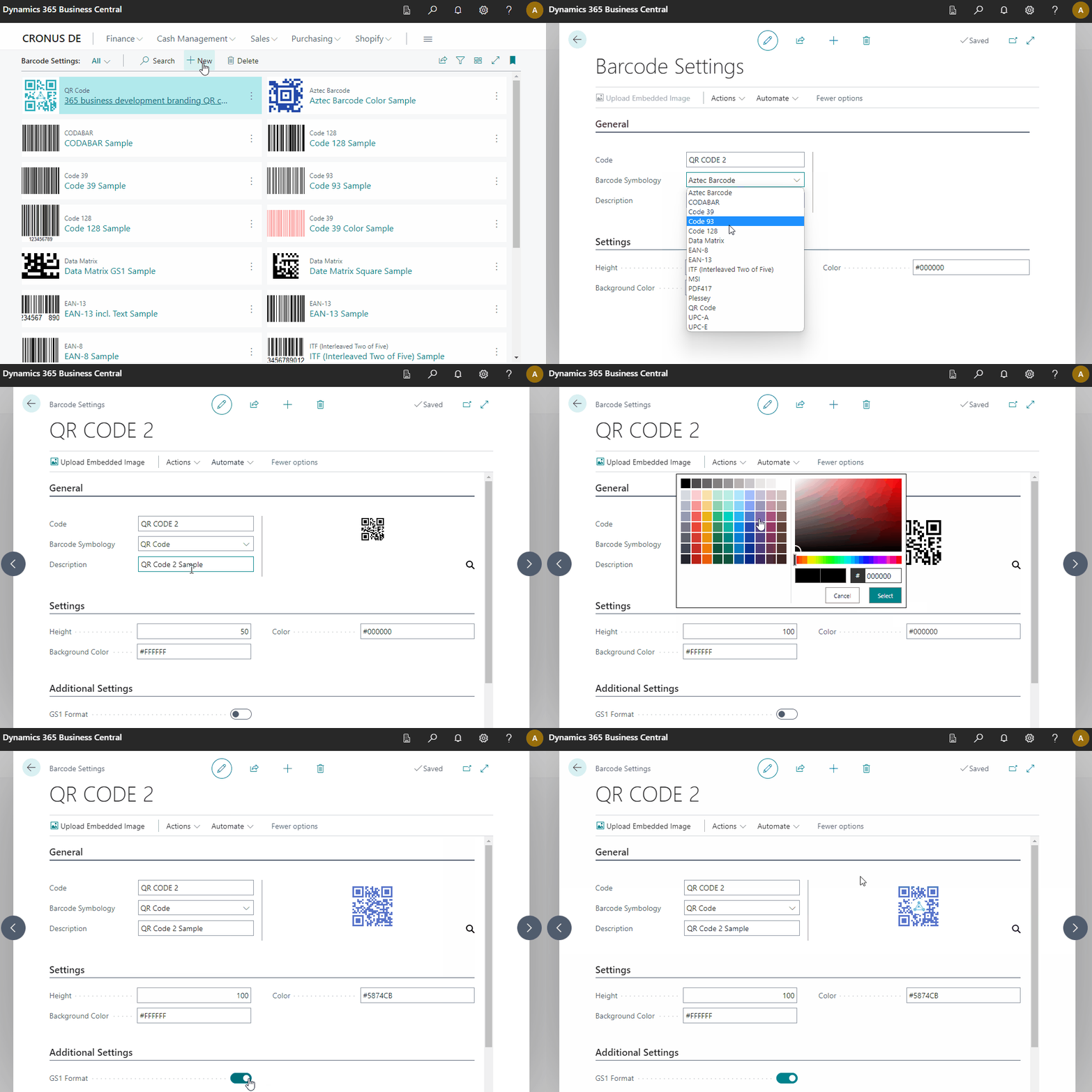
![Barcode Settings](/assets/images/365-business-barcode/barcode-settings.en-US.gif)

<LinkGroupCardsGrid className="mt-6"
  items={[
    {
      title: "Basics",
      description: "Learn more about basics of 365 business Barcode:",
      links: [
        {
          href: "/en-us/365-business-barcode/barcode-whatis",
          label: "What is 365 business Barcode?",
          iconClass: "fa-duotone fa-thin fa-pen-ruler fa-lg",
        },
        {
          href: "/en-us/365-business-barcode/supported-barcodes",
          label: "Which barcode types are supported?",
          iconClass: "fa-duotone fa-thin fa-qrcode fa-lg",
        },
      ],
    },
    {
      title: "Set up",
      description: "Learn more about get started with 365 business Print Agent:",
      links: [
        {
          href: "/en-us/365-business-barcode/barcode-settings",
          label: "Set up barcode settings",
          iconClass: "fa-duotone fa-thin fa-sliders fa-lg",
        },
      ],
    },
    {
      title: "Implement",
      description: "Learn how to integrate 365 business barcode into your application:",
      links: [
        {
          href: "/en-us/365-business-barcode/barcode-howto",
          label: "Implement 365 business Barcode",
          iconClass: "fa-duotone fa-thin fa-display-code fa-lg",
        },
        {
          href: "/en-us/al-developer/al-developer",
          label: "AL Developer Documentation",
          iconClass: "fa-duotone fa-thin fa-code fa-lg",
        },
      ],
    },
  ]}
/>